
Google Slides
Google Slides in LoopSign anzeigen
Abschnitt betitelt „Google Slides in LoopSign anzeigen“- Wählen Sie im Menü Datei die Option Im Web veröffentlichen aus.
- Wählen Sie Einbetten aus, nehmen Sie die gewünschten Einstellungen vor und wählen Sie Veröffentlichen aus.
- Kopieren Sie den HTML-Code (Ctrl+C) und fügen Sie ihn in das HTML Code-Widget von LoopSign ein.
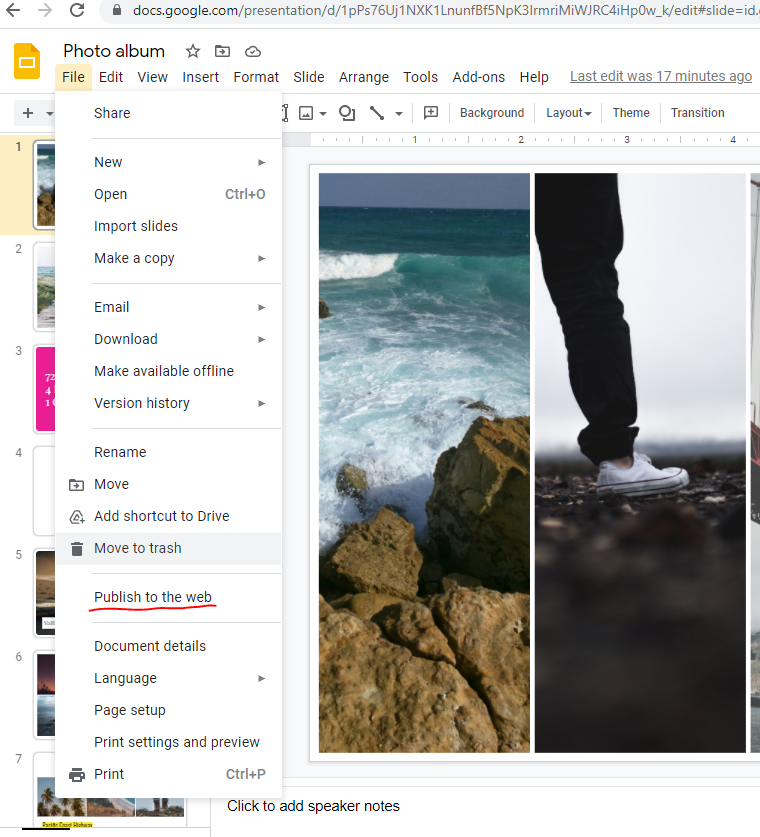
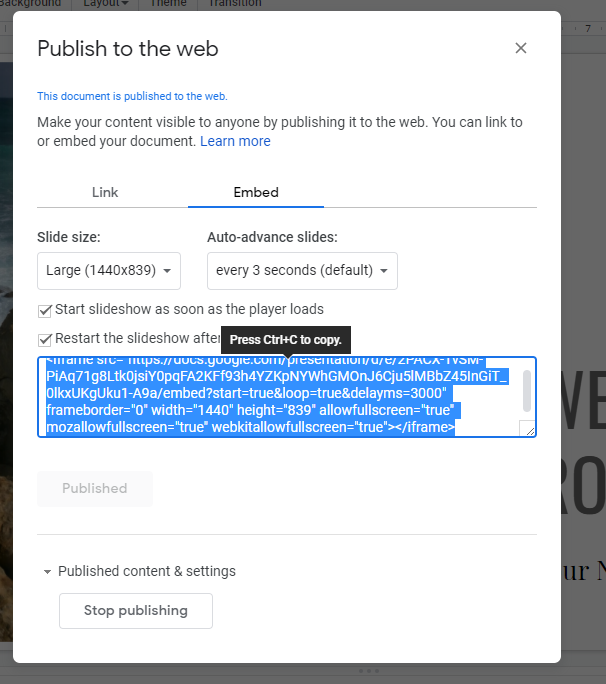
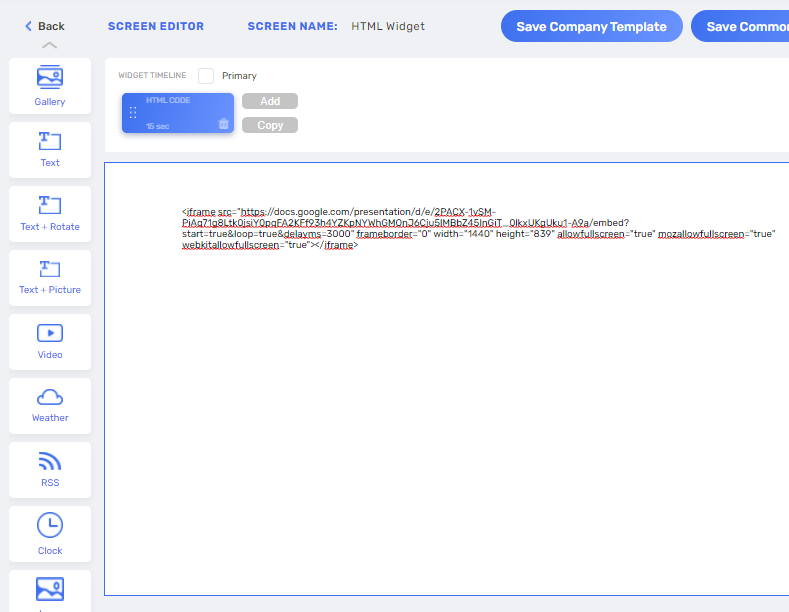
English: File · Publish to the web · Embed · Publish
Besuche werden mit Umami auf dem eigenen Server von Loop24 in Stockholm gezählt. Es werden keine Cookies verwendet und keine IP-Adressen gespeichert.
Microsoft, Windows, Microsoft Edge, Entra, Exchange, Microsoft 365, Outlook, Power BI and Teams are trademarks of the Microsoft group of companies. Android, Google Play, Google Workspace, Google Sheets and Google Slides are trademarks of Google LLC. App Store is a service mark of Apple Inc. Other product and company names belong to their owners; they say what LoopSign, LoopMeeting, LoopBooking and LoopVisit work with, and imply no affiliation or endorsement.