
Google Slides
Google Slidesin näyttäminen LoopSignissa
Osio ”Google Slidesin näyttäminen LoopSignissa”- Valitse Tiedosto-valikosta Julkaise verkossa.
- Valitse Upotus, määritä haluamasi asetukset ja valitse Julkaise.
- Kopioi HTML-koodi (Ctrl+C) ja liitä se LoopSignin widgetiin HTML Code -widget.
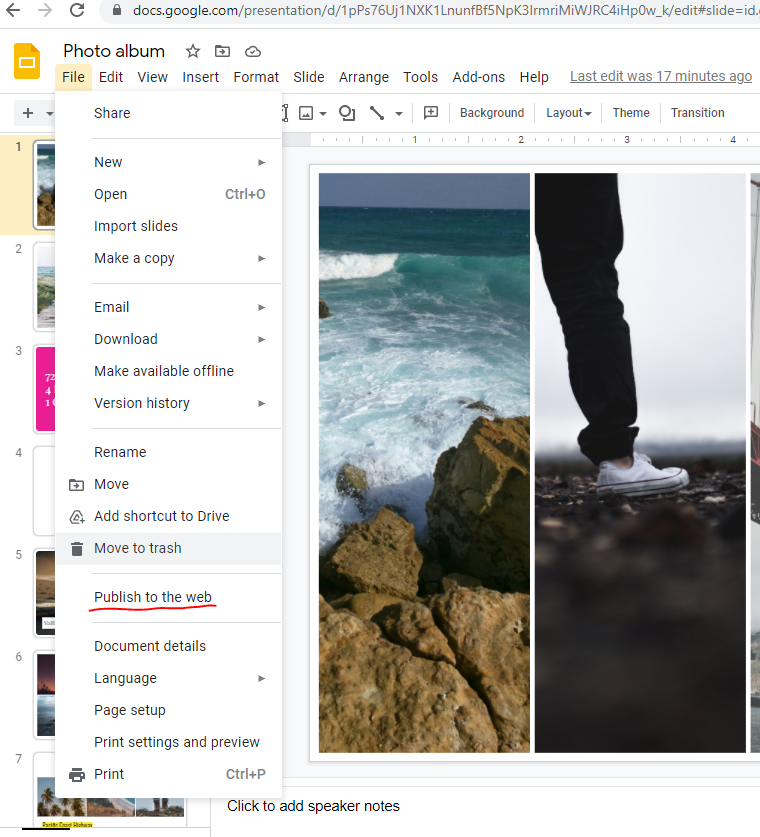
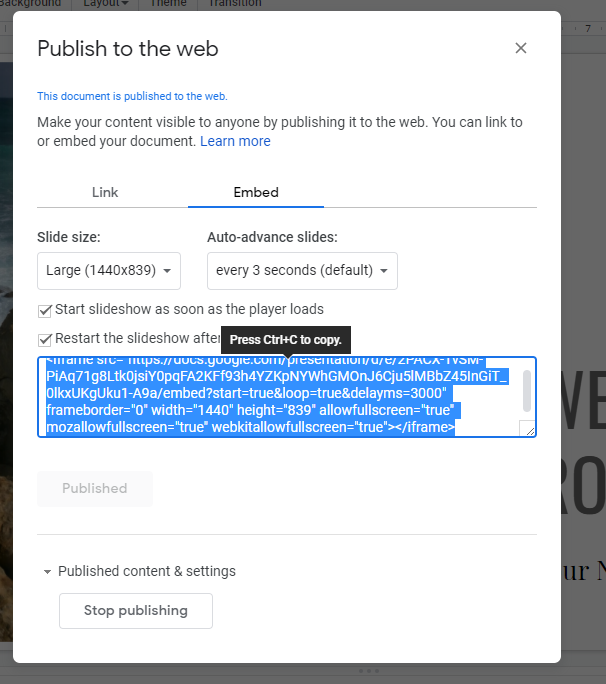
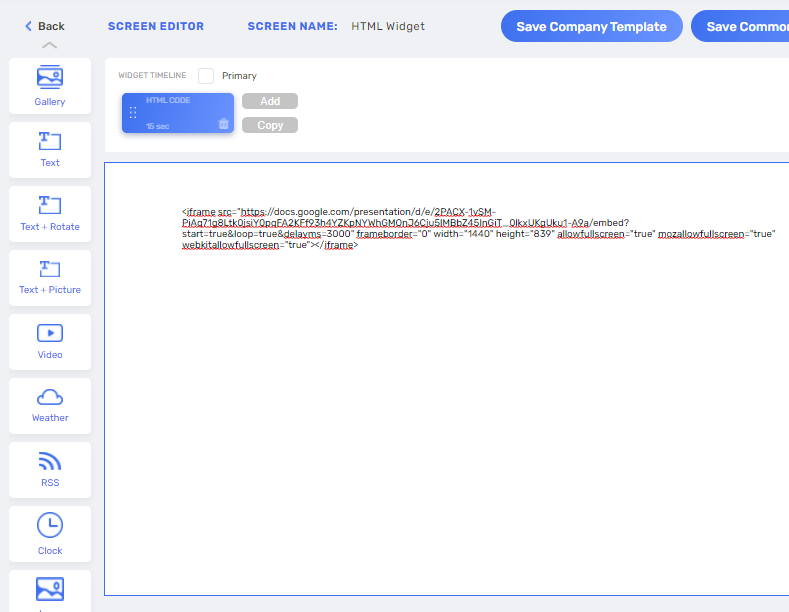
English: File · Publish to the web · Embed · Publish
Käynnit lasketaan Umamilla Loop24:n omalla palvelimella Tukholmassa. Evästeitä ei käytetä, eikä IP-osoitteita tallenneta.
Microsoft, Windows, Microsoft Edge, Entra, Exchange, Microsoft 365, Outlook, Power BI and Teams are trademarks of the Microsoft group of companies. Android, Google Play, Google Workspace, Google Sheets and Google Slides are trademarks of Google LLC. App Store is a service mark of Apple Inc. Other product and company names belong to their owners; they say what LoopSign, LoopMeeting, LoopBooking and LoopVisit work with, and imply no affiliation or endorsement.