
Legamaster
I display Legamaster sono completamente supportati. Un nuovo display Legamaster viene fornito con l’app LoopSign Player preinstallata, quindi non c’è nulla da installare: apri l’app e registra il display nel tuo account LoopSign con il codice hash che mostra (Registrare un display).
Aggiornare l’app LoopSign Player
Sezione intitolata “Aggiornare l’app LoopSign Player”Mostrato su un Legamaster Discover 2.
-
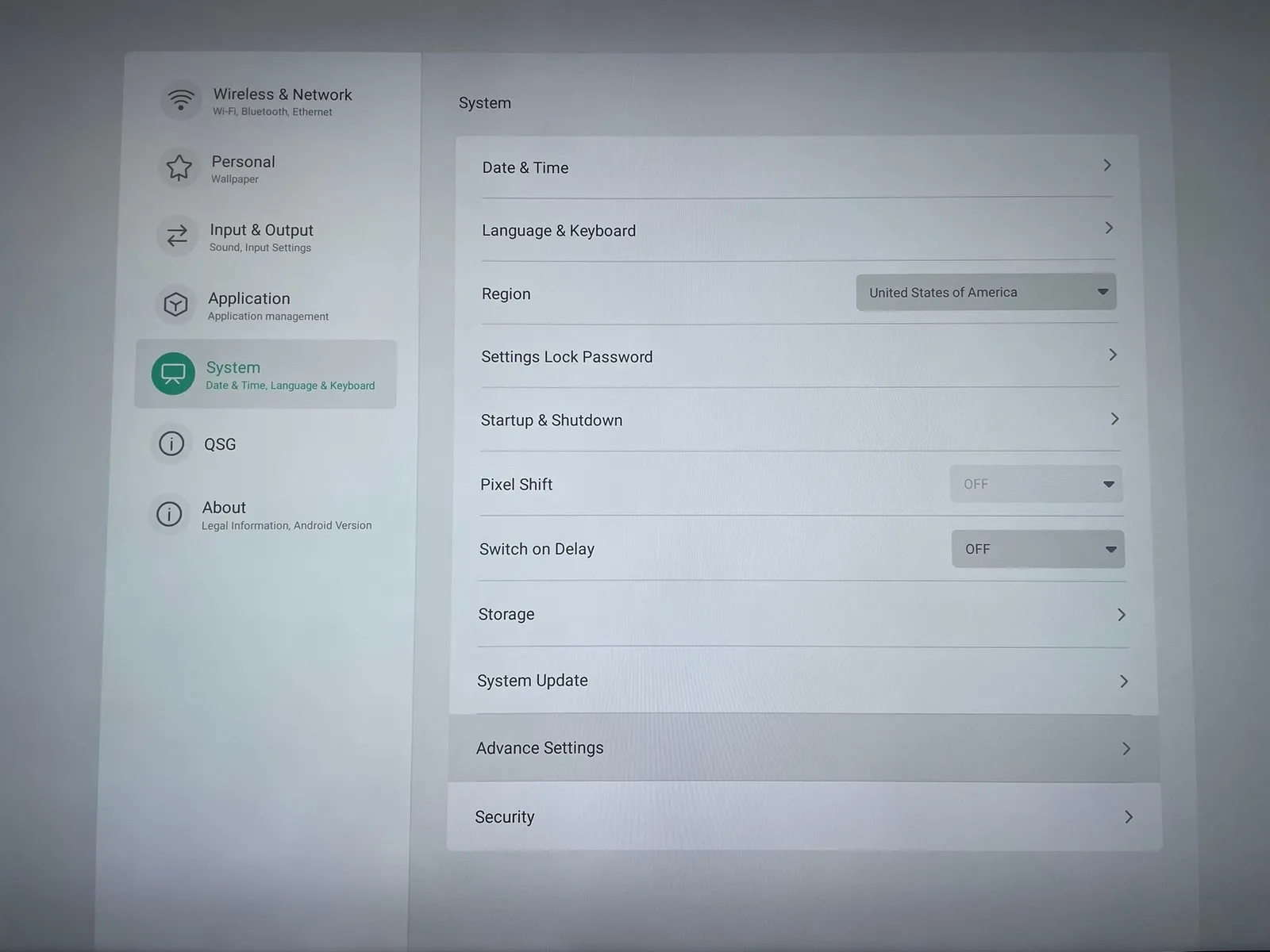
Sul Discover 2, apri l’app drawer e vai in Settings. Poi vai in System e da lì seleziona Advance Settings.
-
In Advance Settings, attiva l’opzione Install unknown apps.


-
Scarica il file APK di LoopSign Player e copialo su una chiavetta USB. Il file si trova nella pagina Download: usa LoopSign Player (consigliata).
-
Inserisci la chiavetta USB in una delle porte USB del display.
-
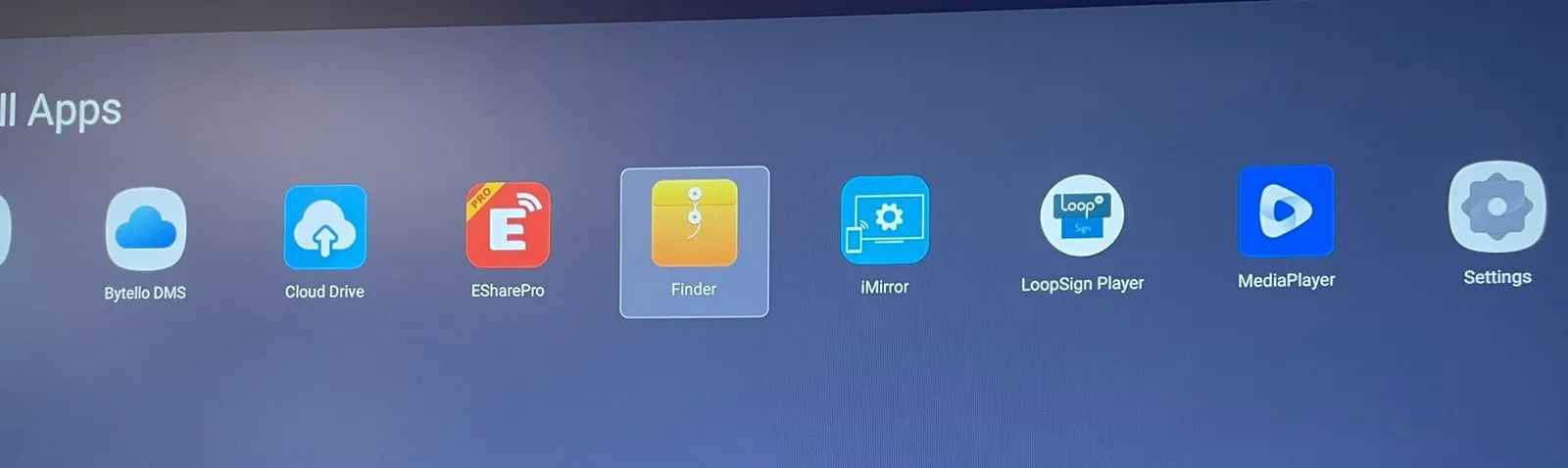
Ora torna in All Apps e apri Finder.
-
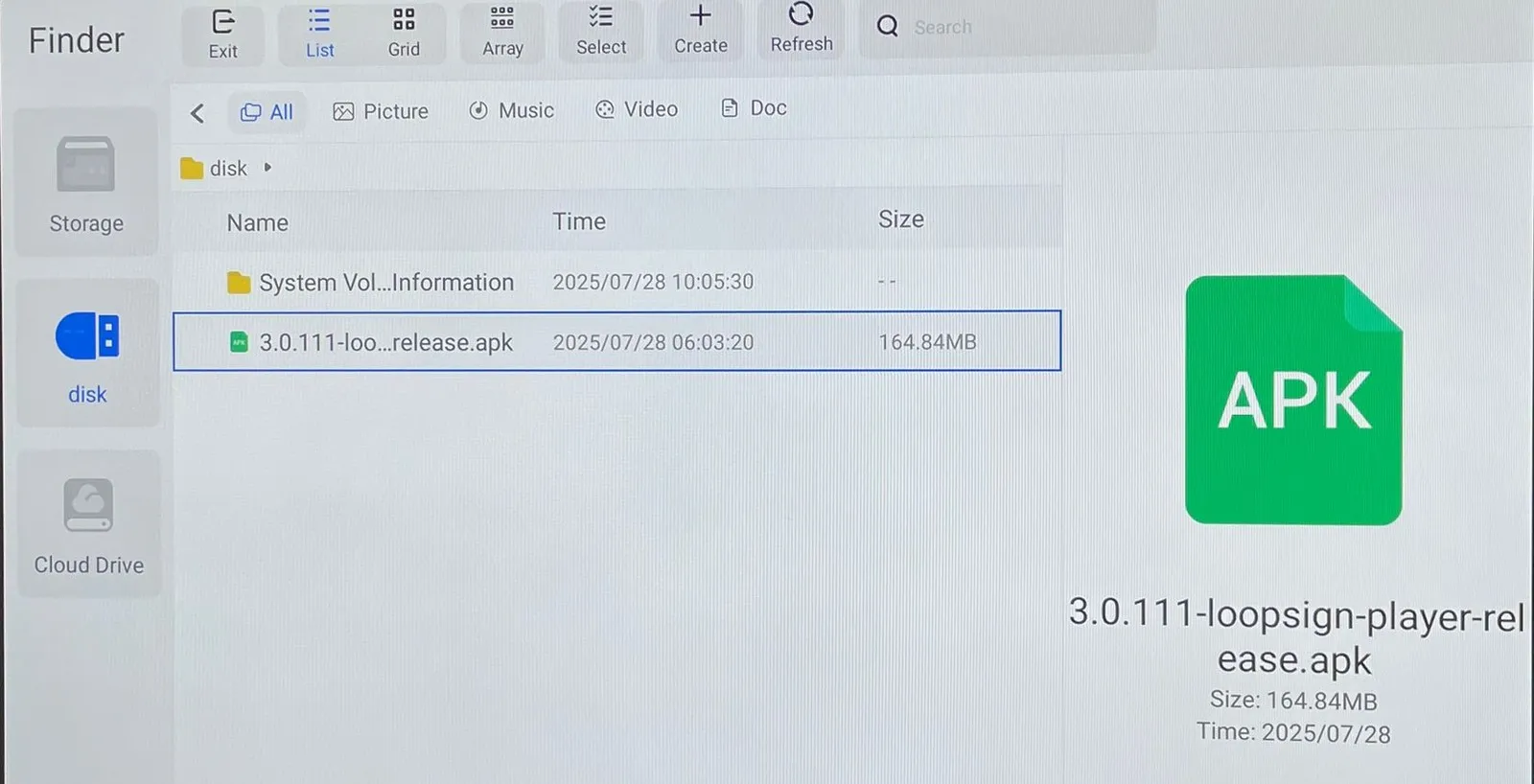
Ora dovresti vedere il file APK di LoopSign Player sulla chiavetta USB. Seleziona il file e seleziona Install per avviare l’installazione.
-
Al termine dell’installazione, l’app LoopSign Player è aggiornata all’ultima versione.
Le visite vengono contate con Umami sul server di Loop24 a Stoccolma. Non vengono usati cookie né memorizzati indirizzi IP.
Microsoft, Windows, Microsoft Edge, Entra, Exchange, Microsoft 365, Outlook, Power BI and Teams are trademarks of the Microsoft group of companies. Android, Google Play, Google Workspace, Google Sheets and Google Slides are trademarks of Google LLC. App Store is a service mark of Apple Inc. Other product and company names belong to their owners; they say what LoopSign, LoopMeeting, LoopBooking and LoopVisit work with, and imply no affiliation or endorsement.