
Google Sheets
Mostrare dati in tempo reale da Google Sheets in LoopSign
Sezione intitolata “Mostrare dati in tempo reale da Google Sheets in LoopSign”- Nel menu File, seleziona Pubblica sul web.
- Seleziona Intero documento e Pagina web, poi seleziona Pubblica.
- Copia l’URL e incollalo nel widget Website di LoopSign.
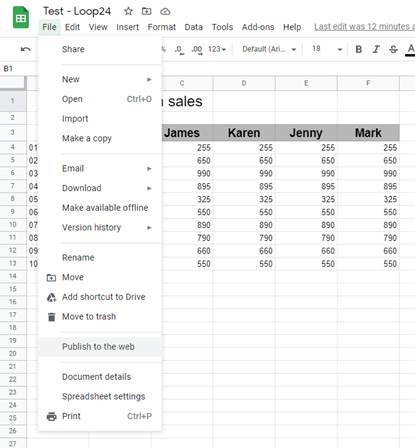
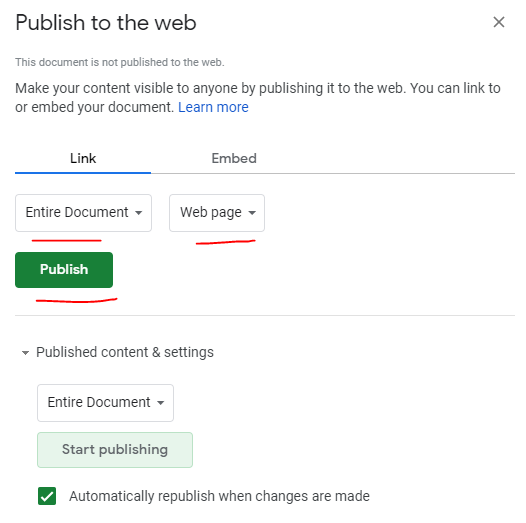
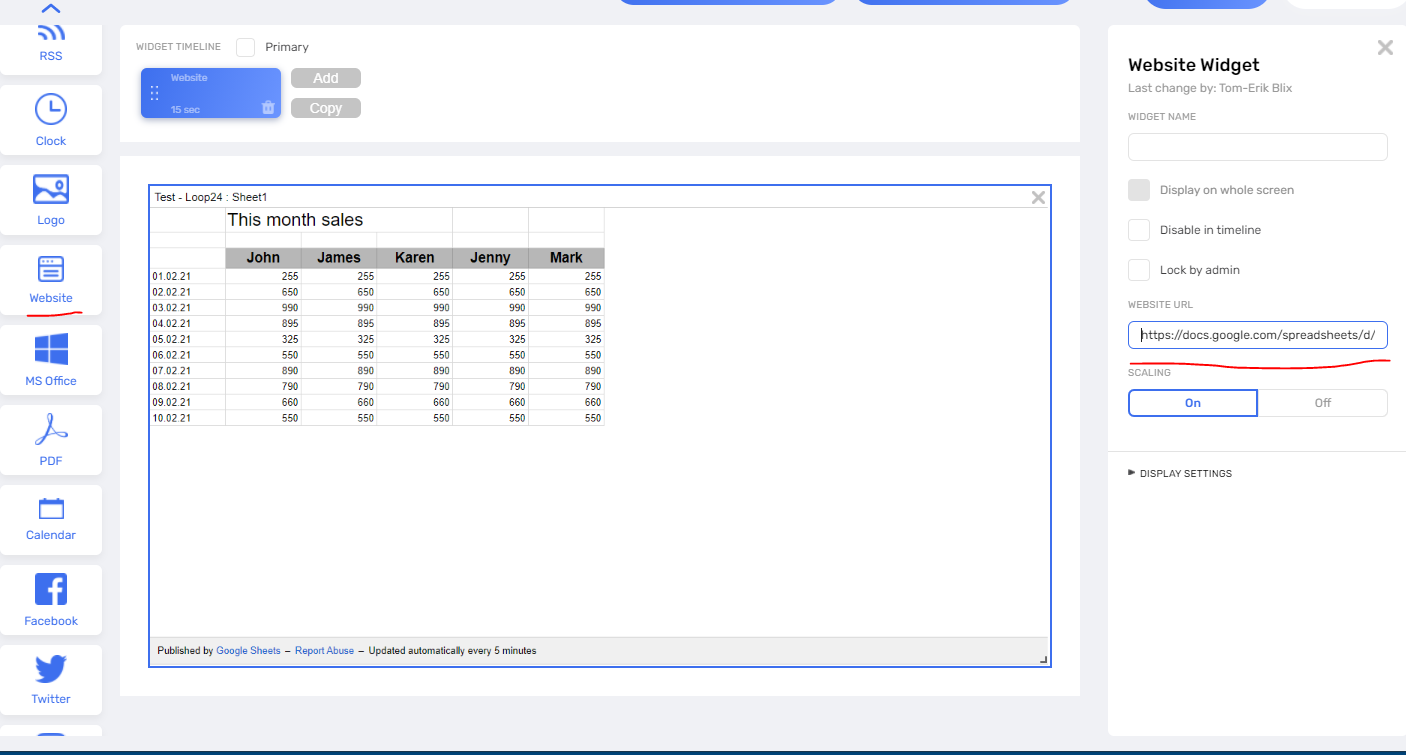
English: Publish to the web · Entire Document · Web page · Publish
Le visite vengono contate con Umami sul server di Loop24 a Stoccolma. Non vengono usati cookie né memorizzati indirizzi IP.
Microsoft, Windows, Microsoft Edge, Entra, Exchange, Microsoft 365, Outlook, Power BI and Teams are trademarks of the Microsoft group of companies. Android, Google Play, Google Workspace, Google Sheets and Google Slides are trademarks of Google LLC. App Store is a service mark of Apple Inc. Other product and company names belong to their owners; they say what LoopSign, LoopMeeting, LoopBooking and LoopVisit work with, and imply no affiliation or endorsement.