
Legamaster
Legamaster displays are fully supported. A new Legamaster display comes with the LoopSign Player app preinstalled, so there is nothing to install: open the app, and enroll the display on your LoopSign account with the hash code it shows (Enroll a display).
Update the LoopSign Player app
Section titled “Update the LoopSign Player app”Shown on a Legamaster Discover 2.
-
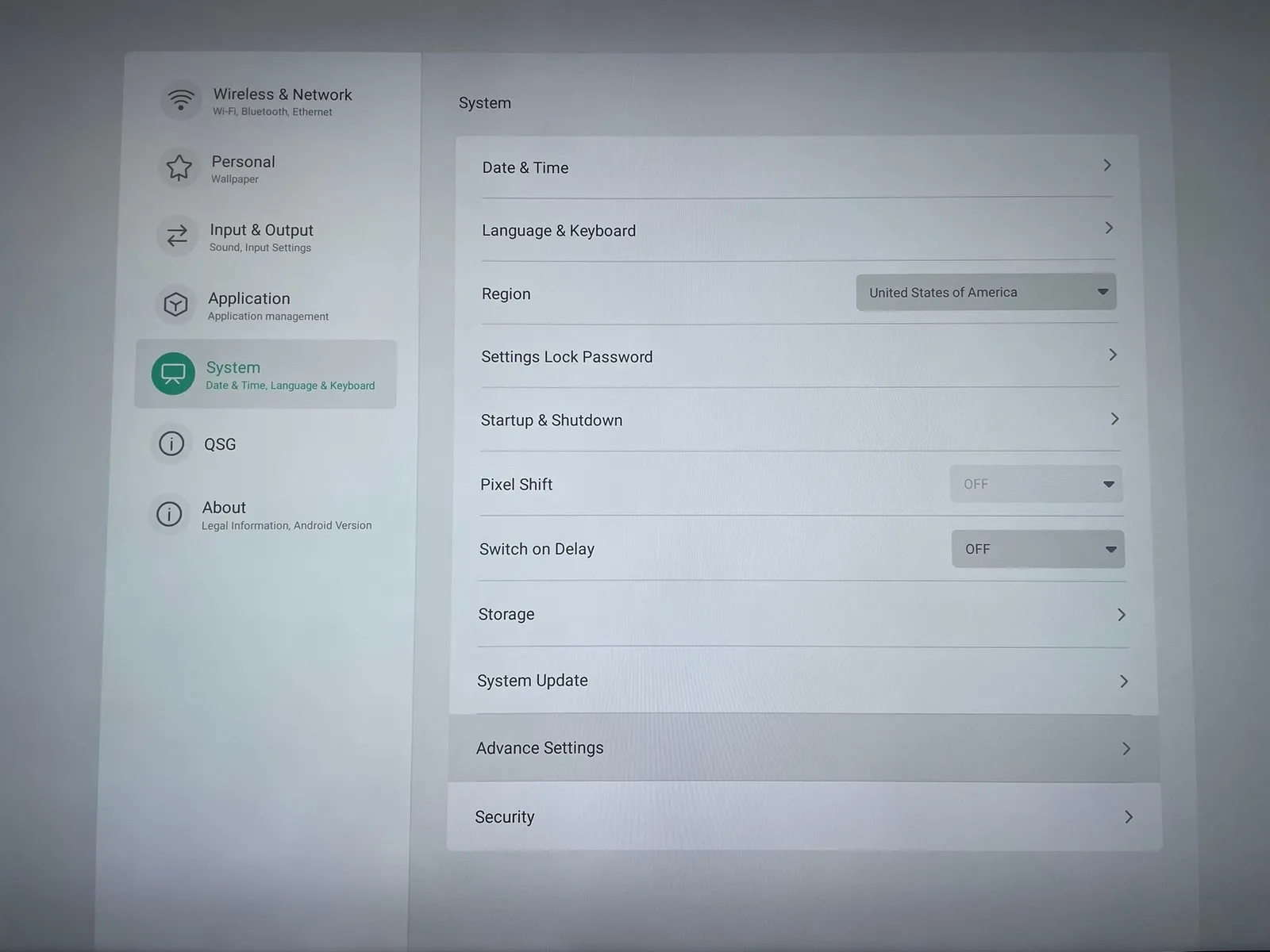
On the Discover 2, open the app drawer and go to Settings. Then go to System and select Advance Settings from there.
-
In Advance Settings, switch on the option Install unknown apps.


-
Download the LoopSign Player APK file and copy it to a USB drive. You find the file on the Download page: use LoopSign Player (recommended).
-
Insert the USB drive into one of the USB ports on the display.
-
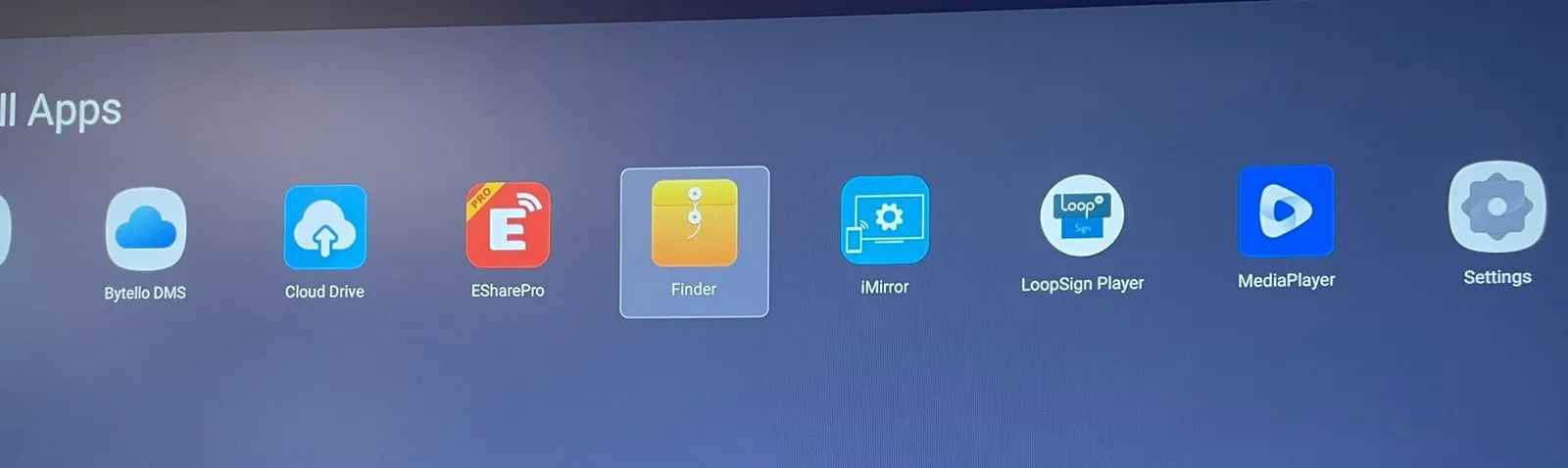
Now return to All Apps and open Finder.
-
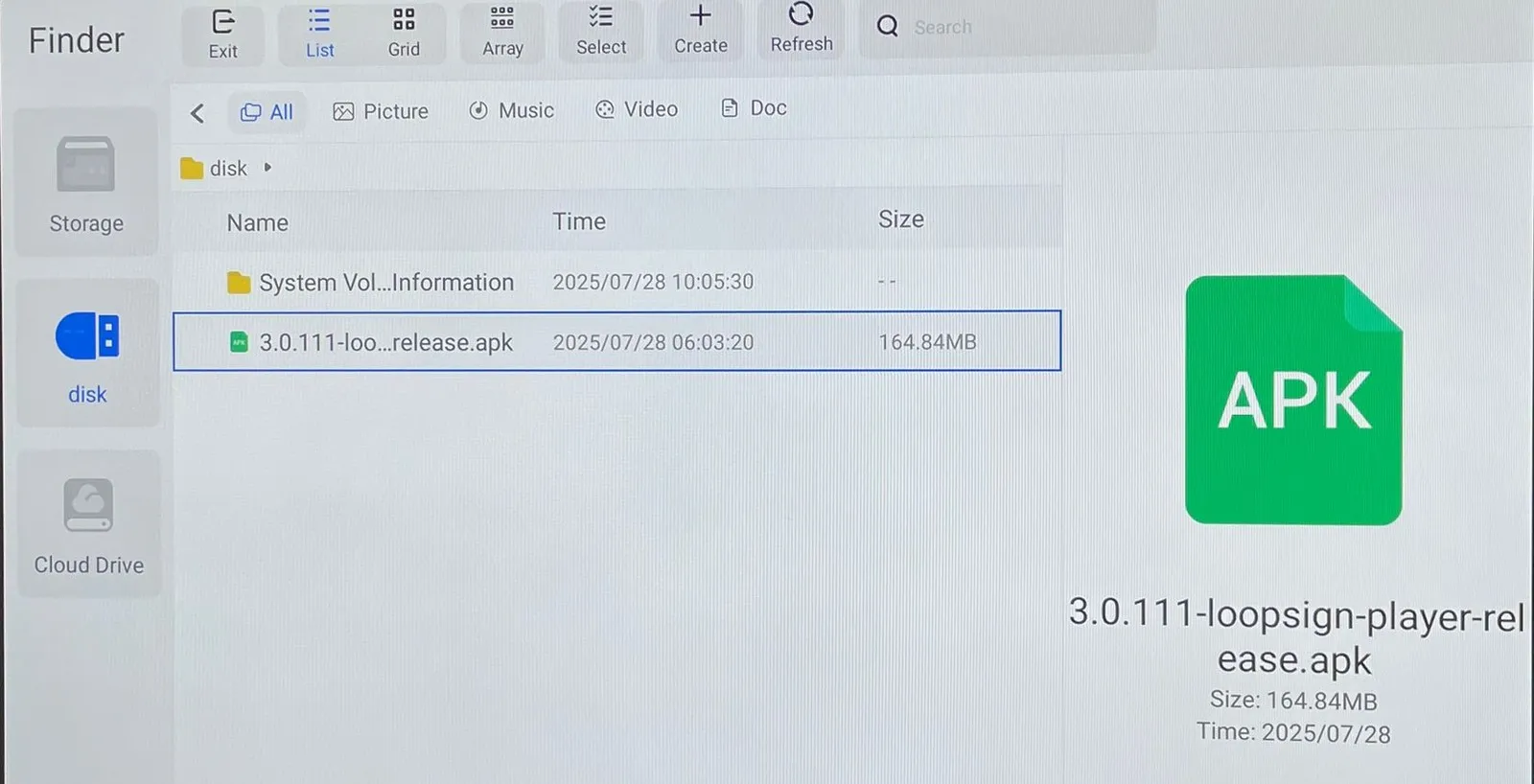
You should now see the LoopSign Player APK file on the USB drive. Select the file and select Install to begin the installation.
-
Once the installation is complete, the LoopSign Player app is updated to the latest version.
Visits are counted with Umami on Loop24’s own server in Stockholm. No cookies, and no IP addresses are stored.
Microsoft, Windows, Microsoft Edge, Entra, Exchange, Microsoft 365, Outlook, Power BI and Teams are trademarks of the Microsoft group of companies. Android, Google Play, Google Workspace, Google Sheets and Google Slides are trademarks of Google LLC. App Store is a service mark of Apple Inc. Other product and company names belong to their owners; they say what LoopSign, LoopMeeting, LoopBooking and LoopVisit work with, and imply no affiliation or endorsement.