
ViewSonic and IADEA panels

This guide installs LoopMeeting on a ViewSonic or IADEA panel and makes the panel start the app automatically. For the IADEA XDS-1078 and the Meetio MR-IE10, see IADEA and Meetio panels.
1. Open Android
Section titled “1. Open Android”-
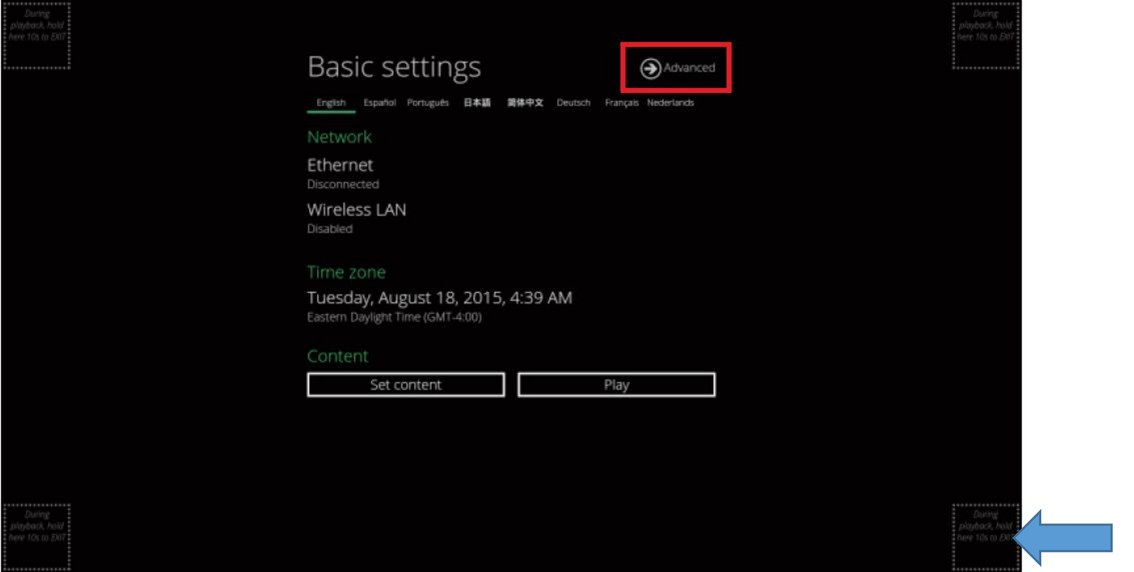
Select Advanced to open the advanced settings.
-
Tap the lower right corner of the screen three times, with one second between the taps.
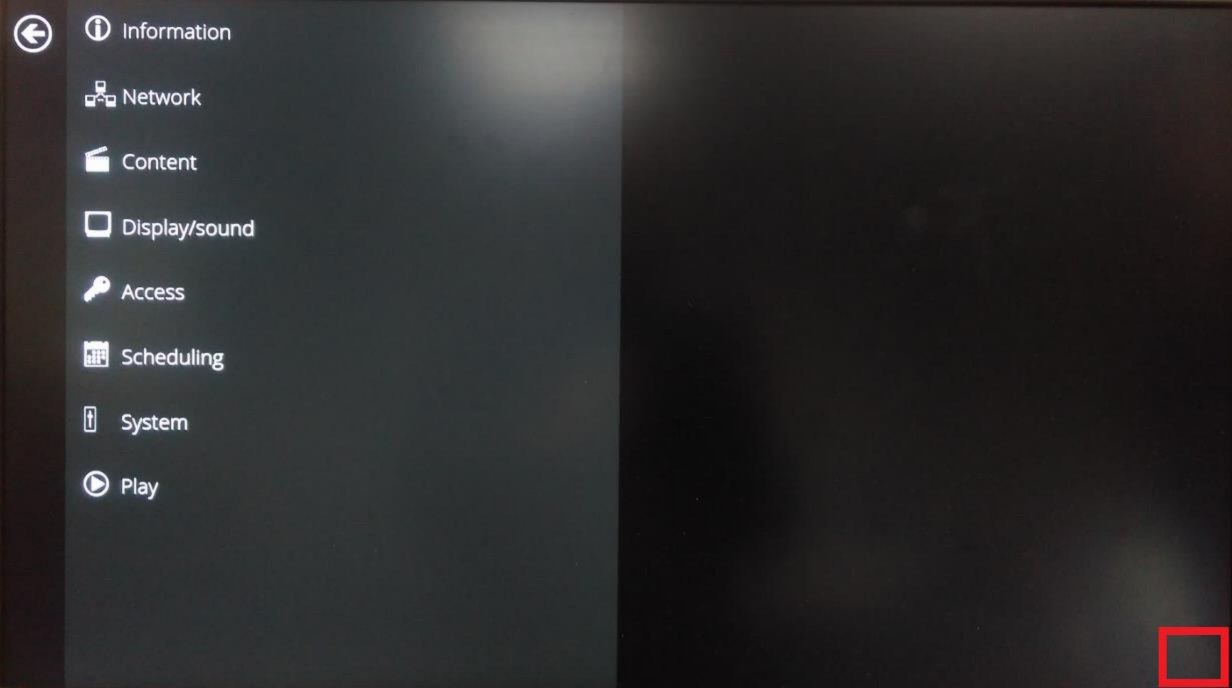
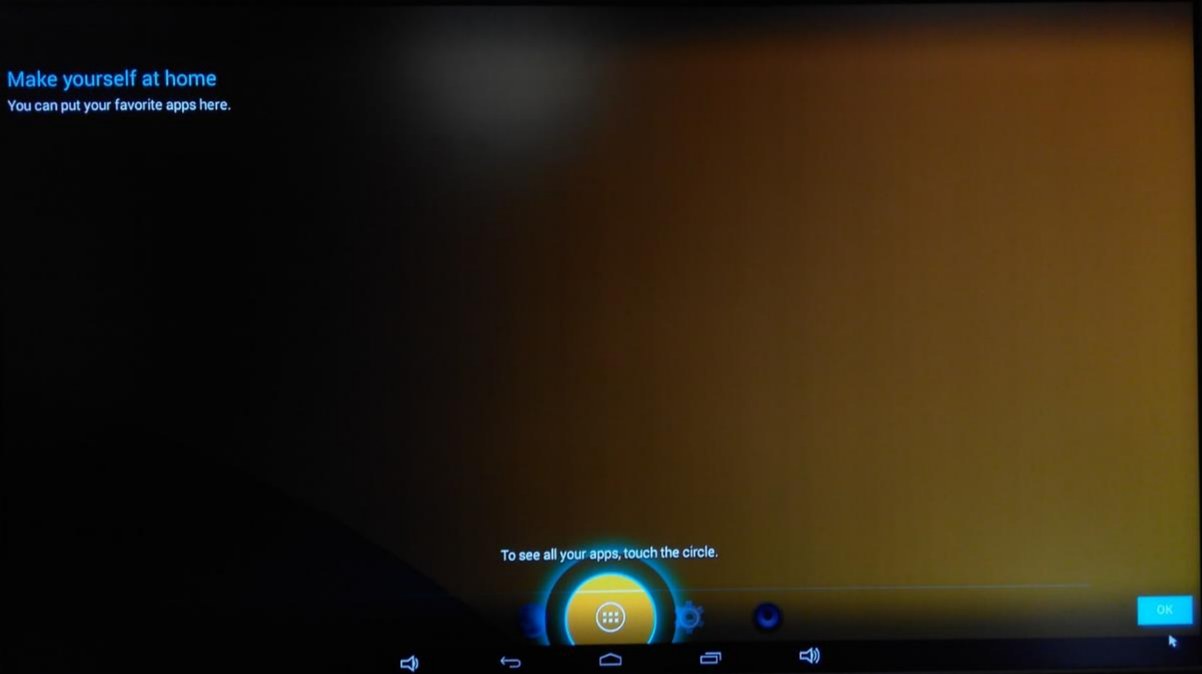
The Android home screen appears.
2. Allow apps from unknown sources
Section titled “2. Allow apps from unknown sources”-
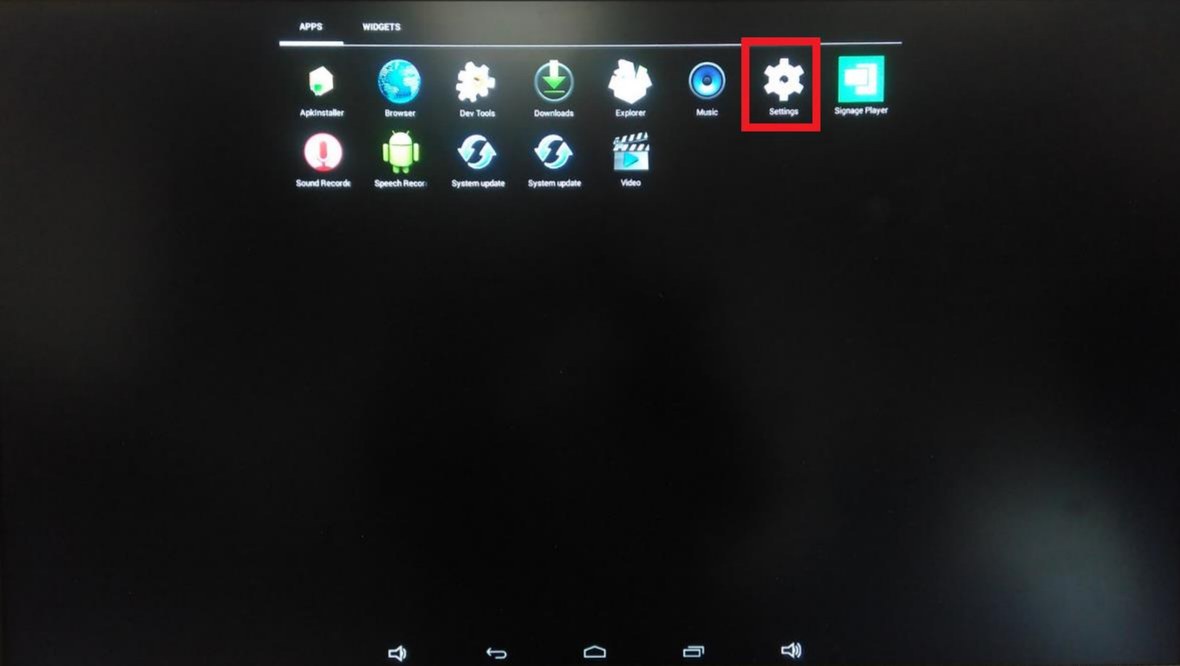
Select Settings.
-
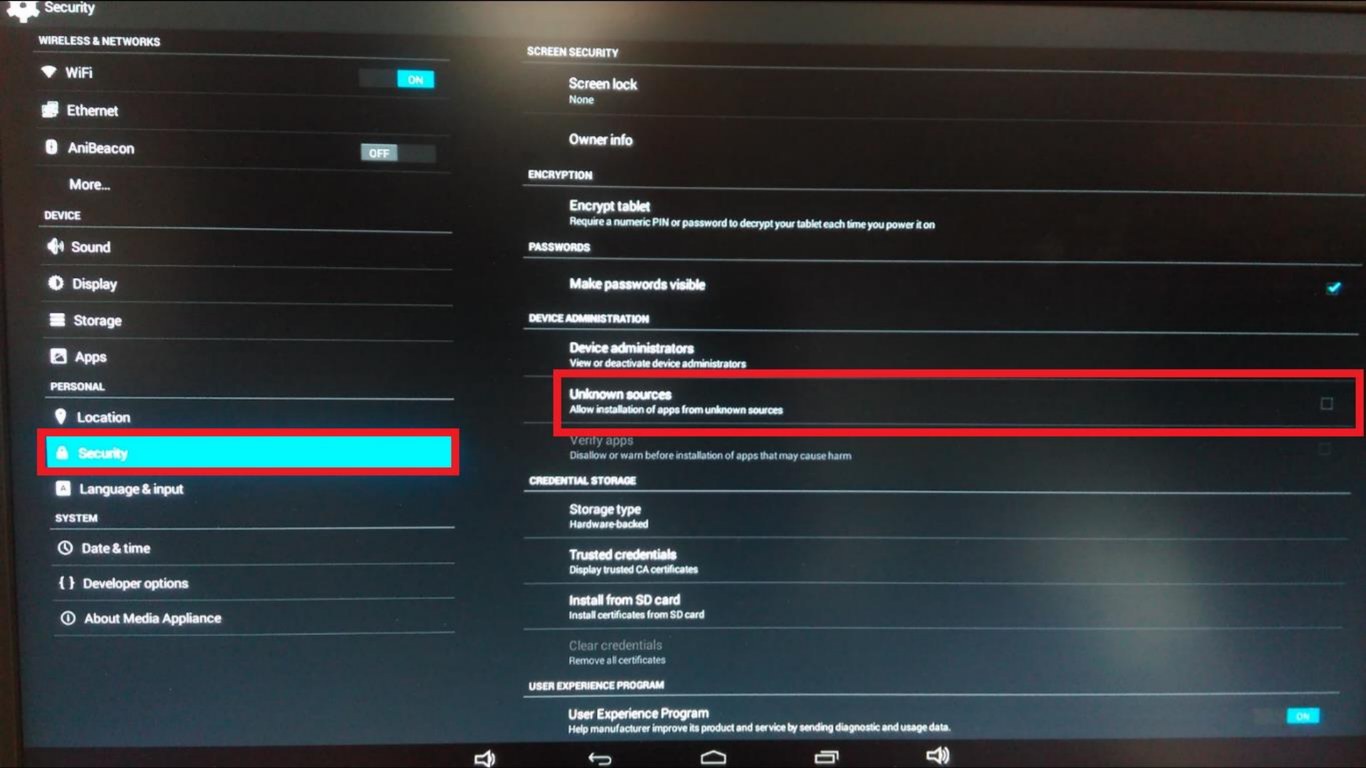
Select Security and tick Unknown sources.
-
Select OK.

3. Check the time zone
Section titled “3. Check the time zone”Go to the date and time settings and make sure that the time zone is correct.
4. Install the LoopMeeting app
Section titled “4. Install the LoopMeeting app”Make sure that the USB stick with the LoopMeeting app is inserted. Download the app for panels of other brands from https://dl.loop24.no/lmoem.zip, unzip the file and copy the APK file to the USB stick.
- Go to Apps and start ApkInstaller.
- Select Install, then USB Memory.
- Select the app and install it. Do not start the app.
- Exit the app installer.
5. Start the app automatically
Section titled “5. Start the app automatically”-
Exit Android by pressing the lower button in the middle, then cancel the autoplay.
-
Select Advanced.
-
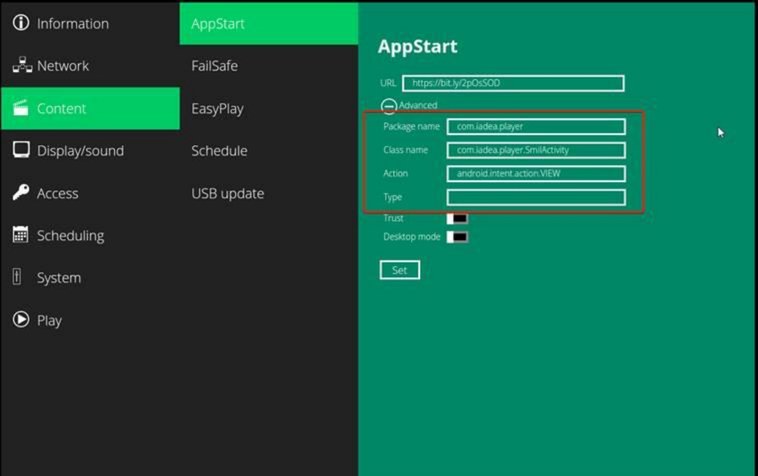
Select Content, then AppStart, and open Advanced.
-
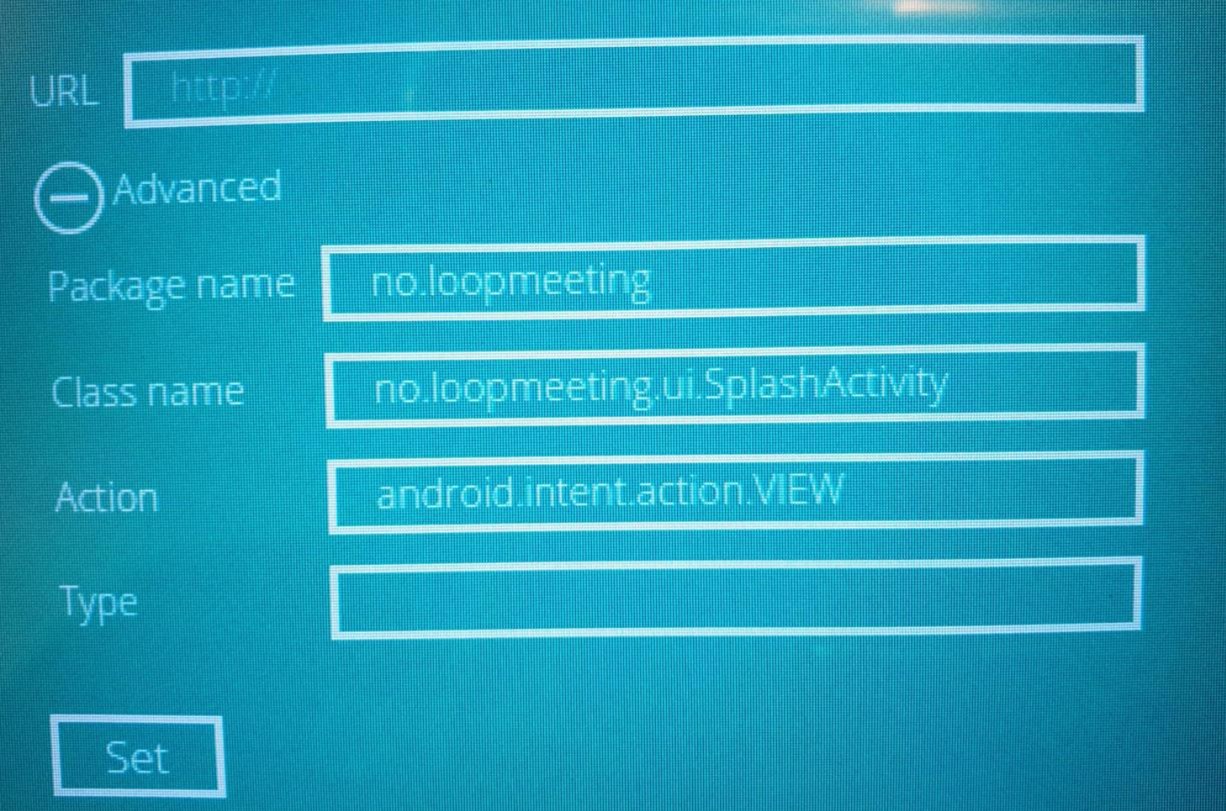
Change the fields so that they look like this:
- URL: blank
- Package name:
no.loopmeeting - Class name:
no.loopmeeting.ui.SplashActivity - Action:
android.intent.action.VIEW
-
Scroll down and select Set.
-
Select Play in the menu. The panel briefly says “Screen pinned”, and the LoopMeeting app starts.
The panel is now ready to be enrolled in the RoomConfig portal: Configure the portal, section 6.
Visits are counted with Umami on Loop24’s own server in Stockholm. No cookies, and no IP addresses are stored.
Microsoft, Windows, Microsoft Edge, Entra, Exchange, Microsoft 365, Outlook, Power BI and Teams are trademarks of the Microsoft group of companies. Android, Google Play, Google Workspace, Google Sheets and Google Slides are trademarks of Google LLC. App Store is a service mark of Apple Inc. Other product and company names belong to their owners; they say what LoopSign, LoopMeeting, LoopBooking and LoopVisit work with, and imply no affiliation or endorsement.