
iCal link
This guide takes you through the steps needed to share your personal calendar as an iCal link for the LoopSign Calendar widget. A shared iCal URL is very useful if you want to show events from personal calendars: it gives you many ways to share events on your LoopSign screens.
Google Calendar
Section titled “Google Calendar”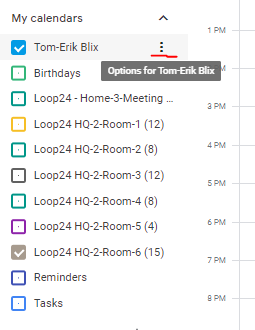
- Log in to your Google Calendar.
- Select Options for the calendar you want to share.
- Select Settings and sharing.
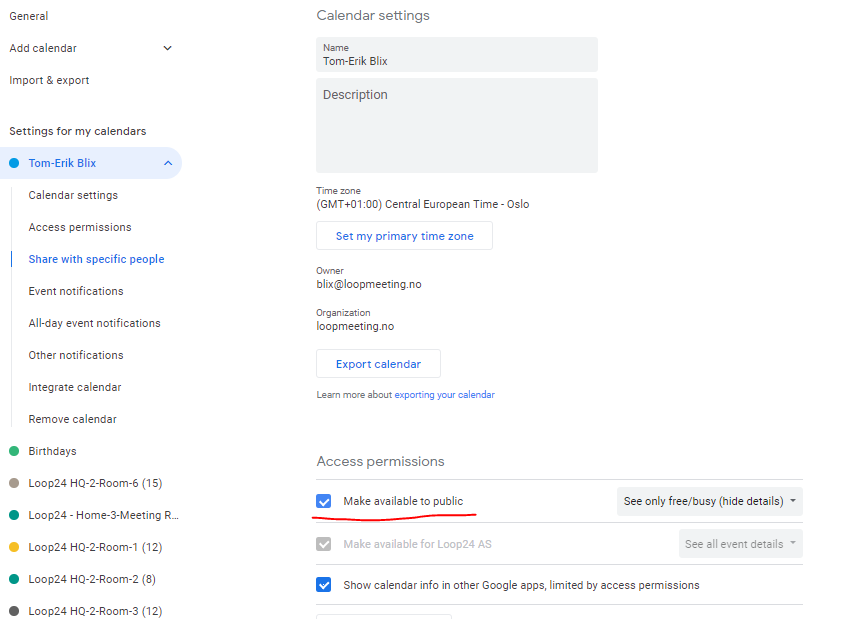
- Set your calendar to Public.
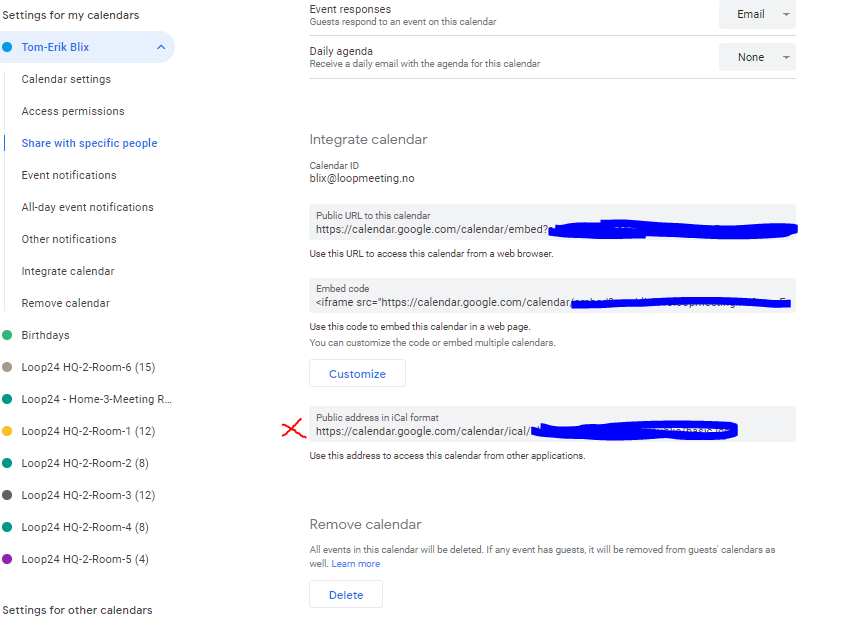
- Get the iCal link and use it in LoopSign.
You can do the same with resource calendars.
Outlook on the web
Section titled “Outlook on the web”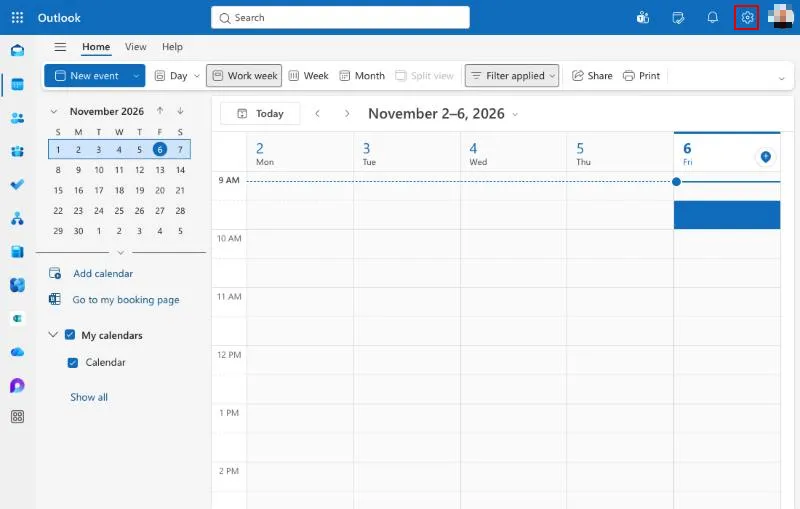
- Log in to Outlook on the web, https://outlook.office.com/, and open the calendar.
- Select Settings (the gear) in the top bar.
- Select Calendar, then Shared calendars.
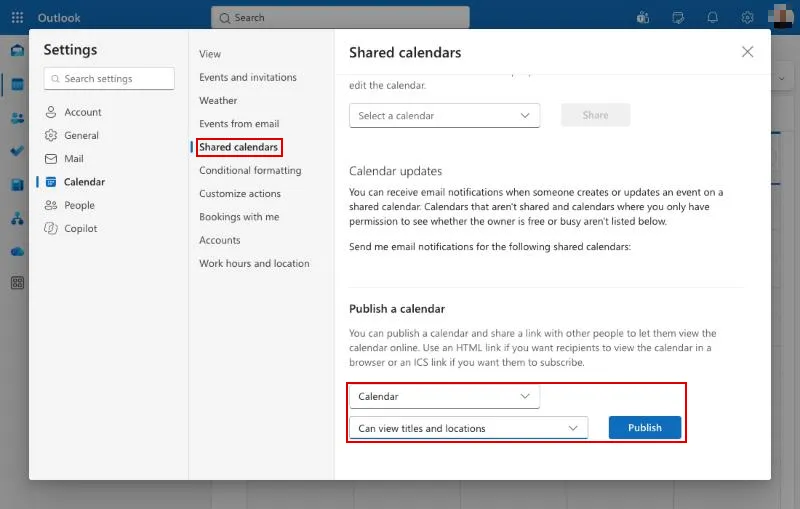
- Under Publish a calendar, select your calendar and the permission Can view titles and locations.
- Select Publish. An HTML link and an ICS link appear below.
- Copy the ICS link.
The ICS link is the one you use in the LoopSign Calendar widget.
Visits are counted with Umami on Loop24’s own server in Stockholm. No cookies, and no IP addresses are stored.
Microsoft, Windows, Microsoft Edge, Entra, Exchange, Microsoft 365, Outlook, Power BI and Teams are trademarks of the Microsoft group of companies. Android, Google Play, Google Workspace, Google Sheets and Google Slides are trademarks of Google LLC. App Store is a service mark of Apple Inc. Other product and company names belong to their owners; they say what LoopSign, LoopMeeting, LoopBooking and LoopVisit work with, and imply no affiliation or endorsement.