
Register the Google application and add the server
This guide takes you through the steps needed to connect your Google Workspace environment to your RoomConfig account: the LoopMeeting application is granted access to your organisation, and the server is added with the service account.
1. Prerequisites
Section titled “1. Prerequisites”- The service account with its custom role and calendar privileges, as described in Create the Google Workspace service account.
- A RoomConfig account, https://lm.roomconfig.com.
2. Register the Google application
Section titled “2. Register the Google application”- Log in to the RoomConfig portal, https://lm.roomconfig.com.
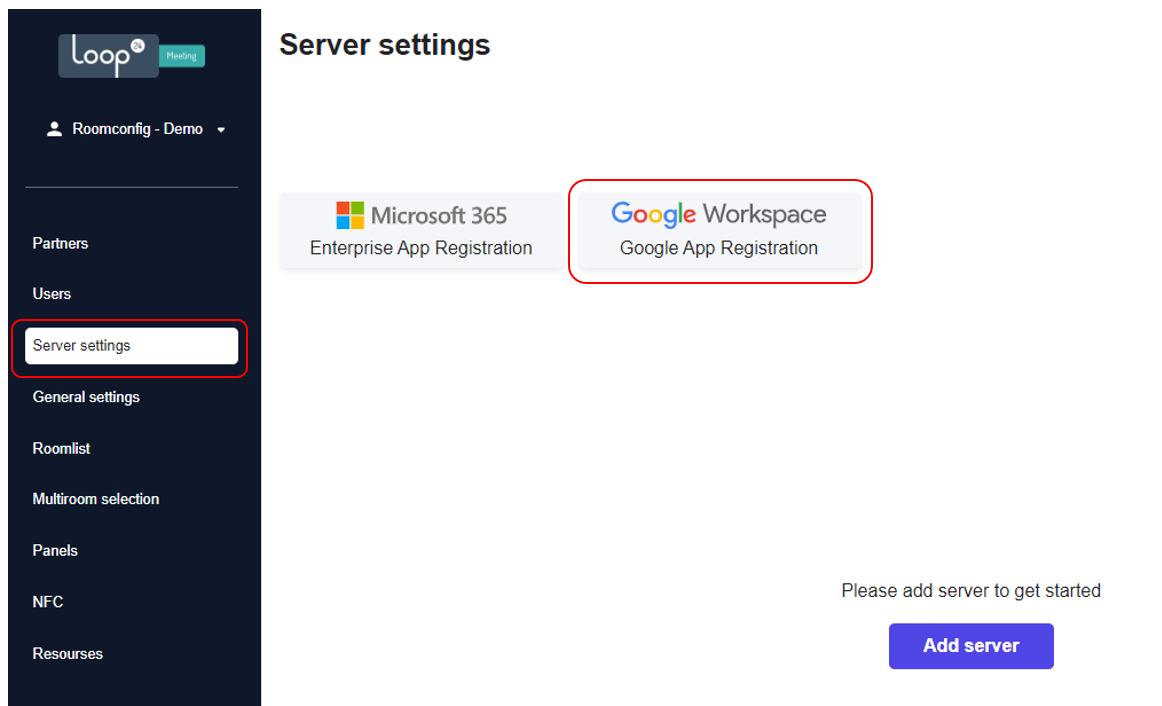
- Select Server settings and select Google App Registration.
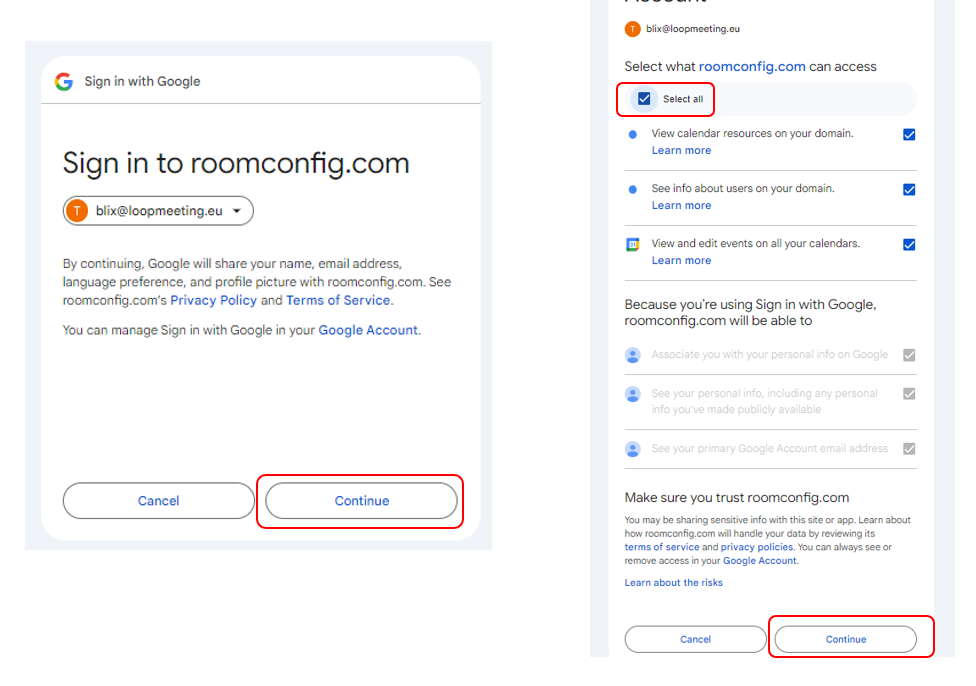
- Log in with the Google admin account and grant access to the requested APIs.
- Select Continue, tick Select all and select Continue again. The application is now granted the necessary access to your Google Workspace organisation.
3. Add the server
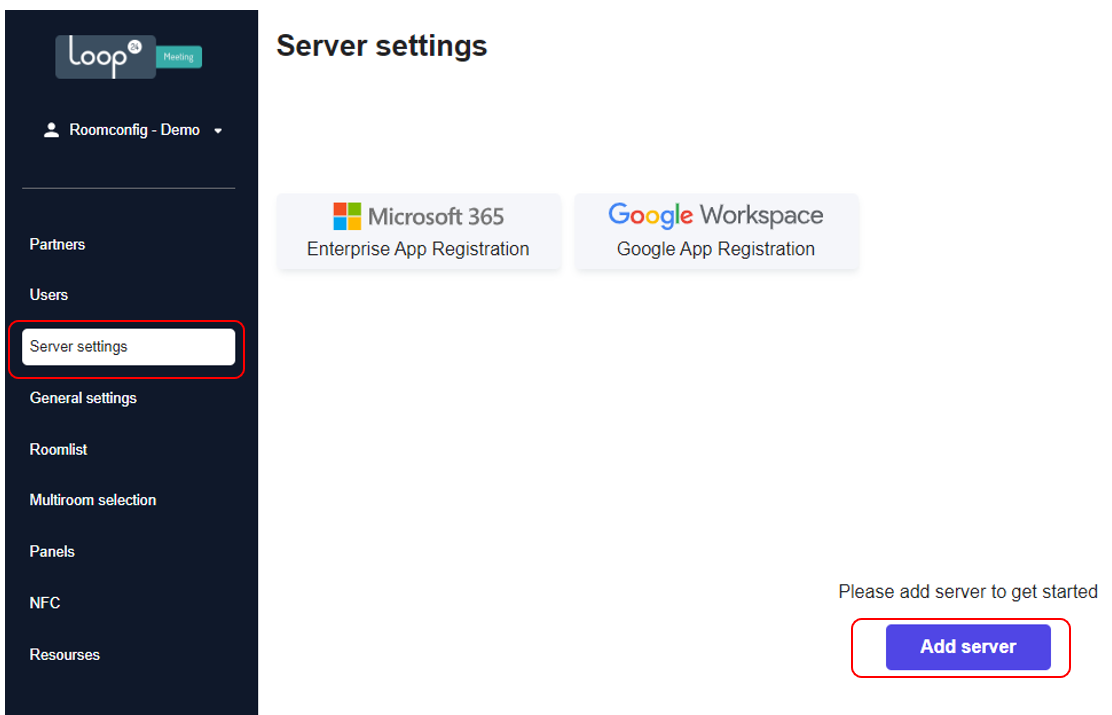
Section titled “3. Add the server”- Select Add server and select Google Workspace.
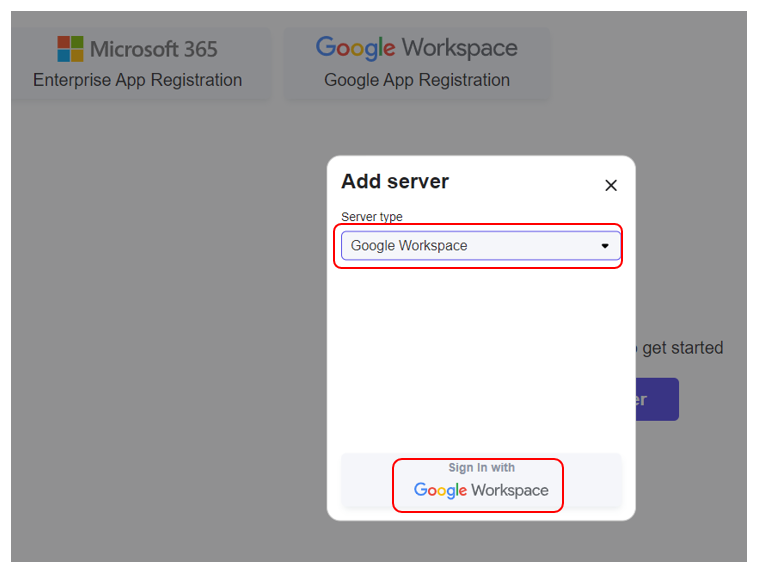
- Log in with your Google service account and select Continue.
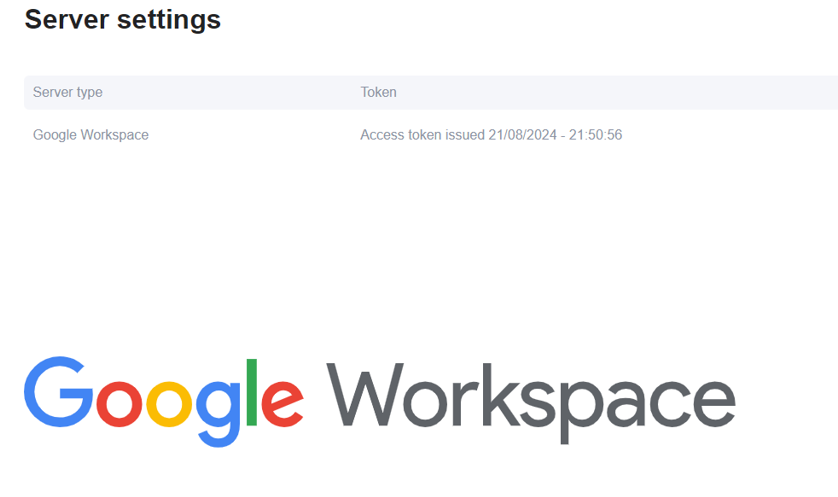
Your RoomConfig portal is now integrated with Google Workspace. Continue with the configuration of the settings in the portal: Configure the portal
Visits are counted with Umami on Loop24’s own server in Stockholm. No cookies, and no IP addresses are stored.
Microsoft, Windows, Microsoft Edge, Entra, Exchange, Microsoft 365, Outlook, Power BI and Teams are trademarks of the Microsoft group of companies. Android, Google Play, Google Workspace, Google Sheets and Google Slides are trademarks of Google LLC. App Store is a service mark of Apple Inc. Other product and company names belong to their owners; they say what LoopSign, LoopMeeting, LoopBooking and LoopVisit work with, and imply no affiliation or endorsement.