
Viva Engage widget
The Viva Engage widget shows the newest posts from one Viva Engage community on a LoopSign screen, one post at a time. You can limit it to posts with one or more hashtags.
Before you start
Section titled “Before you start”- The widget reads Viva Engage through its own enterprise app in Microsoft Entra ID. It is not the Calendar widget’s app, even though both are called LoopSign (publisher Loop24 AS).
- The first time the widget is connected in your Microsoft 365 tenant, a Global Administrator signs in and consents on behalf of the organisation. After that, editors connect the widget without being asked again.
- The widget shows what the signed-in account can see in Viva Engage: every public community, and the private communities the account is a member of. We recommend a service account rather than a personal one, so the screen keeps working when people leave.
Multi-factor authentication (MFA) is not recommended on the service account: it ties the account to one person, and the integration might stop working when that person leaves the company. The password must never expire.
Set up the widget
Section titled “Set up the widget”1. Add the widget
Section titled “1. Add the widget”In the screen editor, select the screen area where the posts should show, and select Add at the right end of the timeline. In Widgets available on screen, select Viva Engage.
2. Connect to Microsoft 365
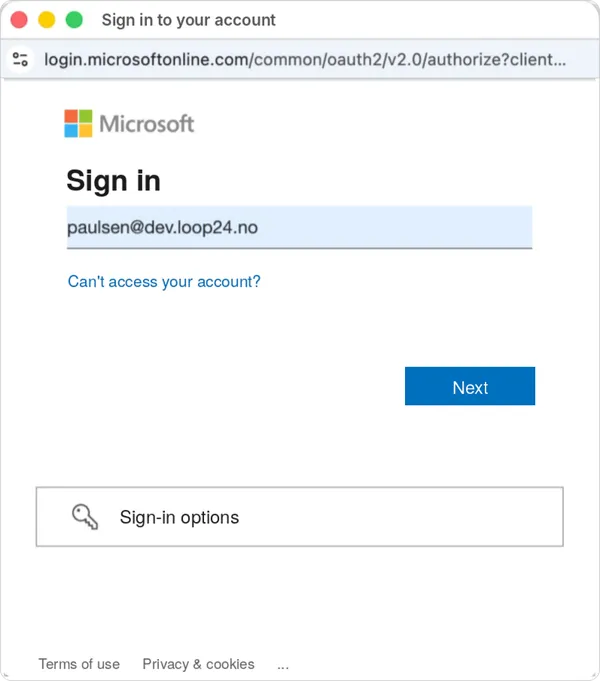
Section titled “2. Connect to Microsoft 365”In the widget settings on the right, select Connect. A Microsoft sign-in window opens.
Sign in with the account the widget should use. The first time in your tenant, use a Global Administrator account.
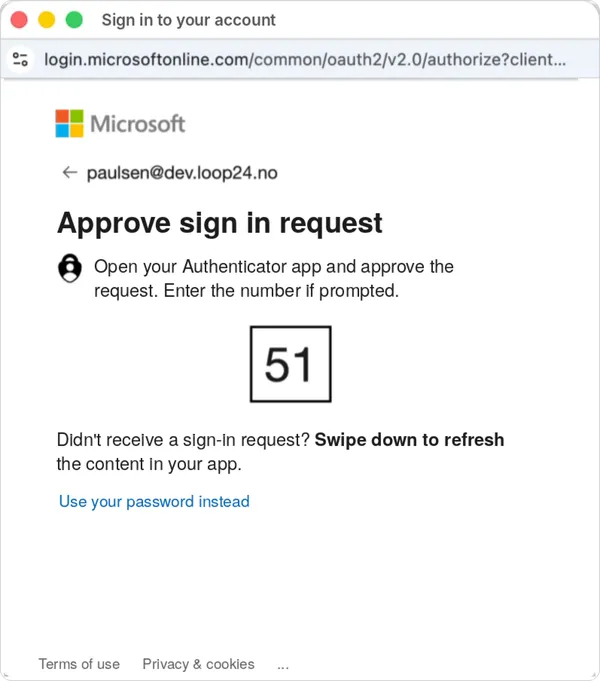
If Microsoft asks you to approve the sign-in, approve it in the Authenticator app.
3. Consent on behalf of your organisation
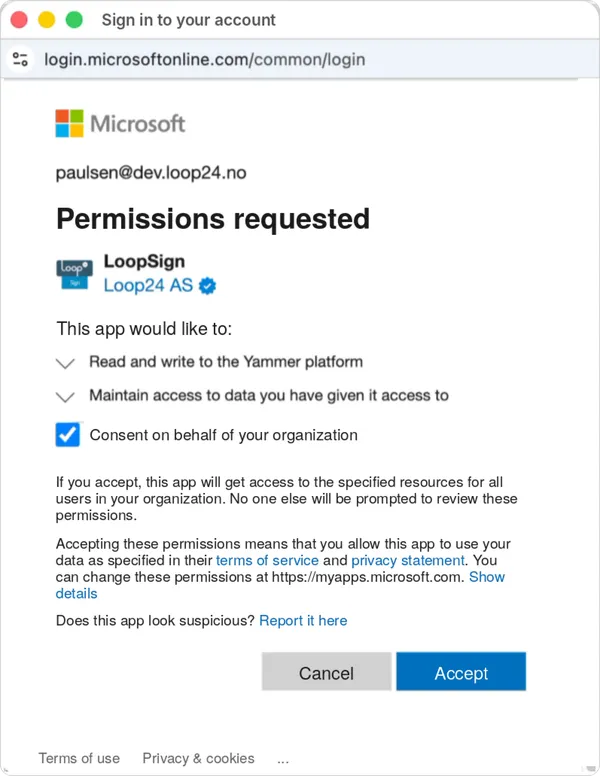
Section titled “3. Consent on behalf of your organisation”The first time, Microsoft lists the permissions LoopSign asks for: Read and write to the Yammer platform and Maintain access to data you have given it access to. Yammer is the former name of Viva Engage, and Microsoft still uses it for this permission. Tick Consent on behalf of your organization and select Accept.
4. Choose the posts
Section titled “4. Choose the posts”When the widget is connected, the newest posts show in the screen area, and the widget settings get these fields:
- Community: the community the posts come from.
- Posts count: how many of the newest posts the widget shows, one at a time.
- Tags: only posts with the selected hashtags. Leave it empty to show every post in the community.
- Refetch: fetches the communities and posts again now, for example after a new post or a new community.
- Reauthenticate: signs in to Microsoft again, for example when the sign-in has expired or the password has changed, or to use another account.
Under Display settings you set the duration, the scheduling and the publishing to other screens, as for every widget; see the tutorial Display settings. The duration is per post, as in the Gallery widget: the widget stays on screen for the duration multiplied by the number of posts it shows.
5. Save
Section titled “5. Save”Remember to select Save at the end to keep the changes you made. The changes will manifest on the connected physical screen(s) within 15 minutes.
This video isn’t in your offline copy.
Visits are counted with Umami on Loop24’s own server in Stockholm. No cookies, and no IP addresses are stored.
Microsoft, Windows, Microsoft Edge, Entra, Exchange, Microsoft 365, Outlook, Power BI and Teams are trademarks of the Microsoft group of companies. Android, Google Play, Google Workspace, Google Sheets and Google Slides are trademarks of Google LLC. App Store is a service mark of Apple Inc. Other product and company names belong to their owners; they say what LoopSign, LoopMeeting, LoopBooking and LoopVisit work with, and imply no affiliation or endorsement.