
Print visitor badges
Here you will find information on how to set up a Brother QL-700 label printer to print visitor badges from the LoopVisit portal. The procedure is much the same for most label printers on the market, although the settings may be named differently.
When you print badges for pre-registered visitors in the LoopVisit portal on a reception PC, Chrome opens its print dialog. The printer preferences are set once in Windows; the print settings are checked in Chrome.
1. The label roll
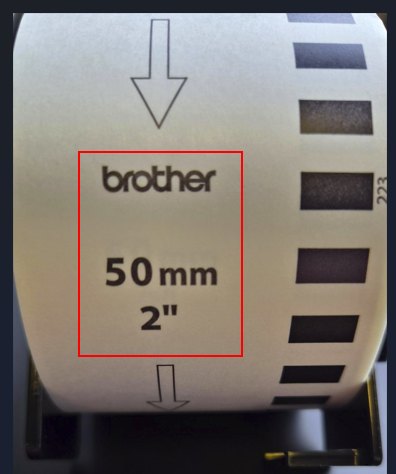
Section titled “1. The label roll”The badges print on Brother’s DK-22223 roll: continuous paper tape, 50 mm (2”) wide. The printer cuts each badge to length.
2. Set the printer preferences in Windows
Section titled “2. Set the printer preferences in Windows”The QL-700 is connected to the reception PC and installed in Windows.
-
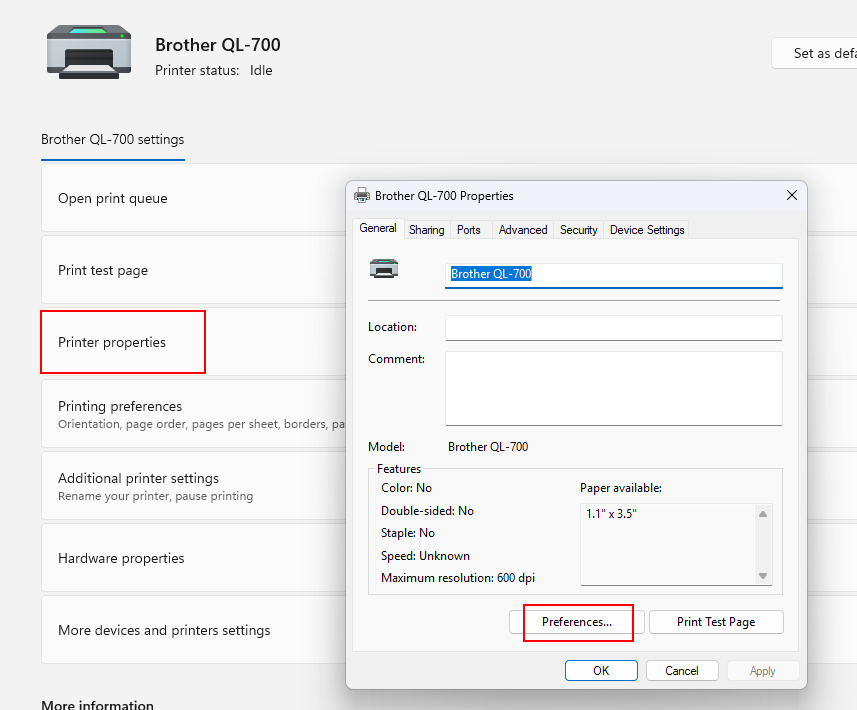
In Windows, open Settings, select Bluetooth & devices, then Printers & scanners, and select Brother QL-700.
-
Select Printer properties, then Preferences… on the General tab.
-
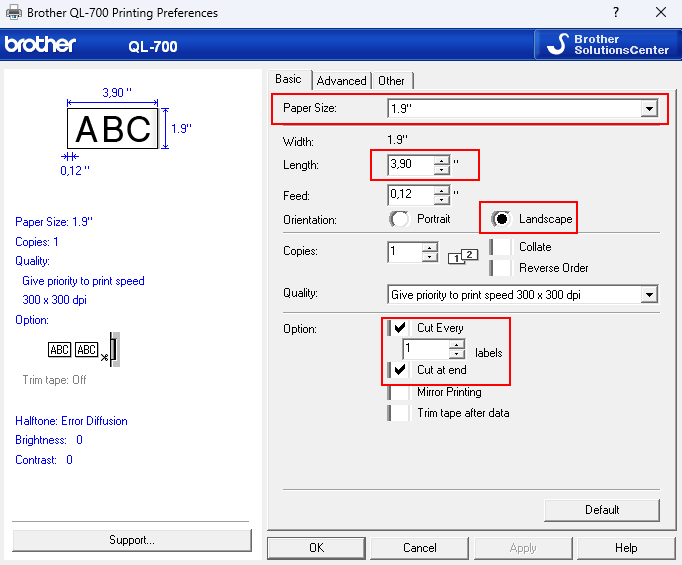
On the Basic tab, set Paper Size to 1.9”, Length to 3.90 (inches; Windows with a decimal comma shows 3,90, as in the picture) and Orientation to Landscape. Under Option, tick Cut Every with 1 label, and tick Cut at end.
-
Select OK, then OK again in the properties window.
This gives a badge of about 50 × 99 mm, and the printer cuts after every badge.
3. Print from Chrome
Section titled “3. Print from Chrome”-
Print the badges from the LoopVisit portal. In Chrome’s print dialog, select Brother QL-700 as the Destination.
-
Open More settings.
-
Check that Paper size is 1.9”, and tick Background graphics, which the badge needs to print as it looks on screen.
-
Select Print.
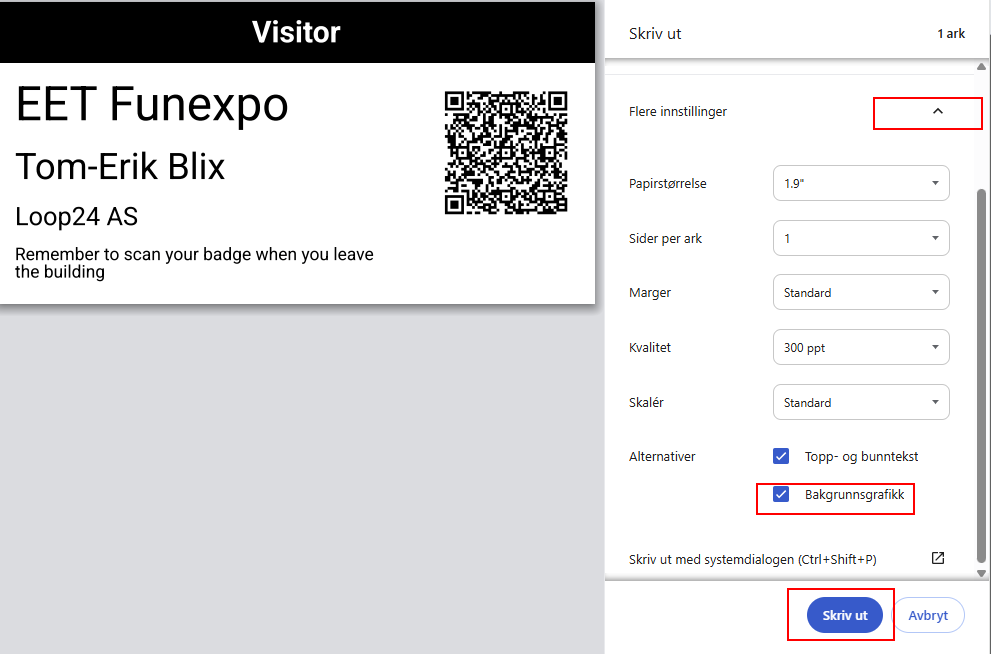
The picture shows Chrome in Norwegian; the settings are in the same places in every language.
Visits are counted with Umami on Loop24’s own server in Stockholm. No cookies, and no IP addresses are stored.
Microsoft, Windows, Microsoft Edge, Entra, Exchange, Microsoft 365, Outlook, Power BI and Teams are trademarks of the Microsoft group of companies. Android, Google Play, Google Workspace, Google Sheets and Google Slides are trademarks of Google LLC. App Store is a service mark of Apple Inc. Other product and company names belong to their owners; they say what LoopSign, LoopMeeting, LoopBooking and LoopVisit work with, and imply no affiliation or endorsement.