
Migrate from the legacy portal
This guide takes you through the steps needed to migrate your panels from the legacy portal to the new RoomConfig portal. Follow the steps carefully and do not skip any of them unless they are marked as optional.
1. Introduction
Section titled “1. Introduction”Since the very first version of LoopMeeting in December 2016 we have had the same central configuration console. It has been updated throughout the years, but it has been based on the same principles of managing LoopMeeting.
With the RoomConfig portal we are proud to announce that we totally revolutionise the way you manage LoopMeeting panels. Instead of the old way, where you use a configuration code and an install password, you now only need to enroll the panel with a hash code and then assign it to whatever room you like.
All communication with the panels is now in real time, so there is no need to wait until the next day for changes to be deployed. There are also a number of new features that make management much easier.
The RoomConfig portal is the current portal. There is no rush to migrate: the legacy portal remains available until January 2027, but there will be no further updates to it.
2. Prerequisites
Section titled “2. Prerequisites”Make sure you have followed this step before you start migrating your panels: Configure the RoomConfig portal.
If you need to reconfigure your calendar integration, the guides for each calendar system are here: Set up a new installation.
3. Migrate LoopMeeting panels
Section titled “3. Migrate LoopMeeting panels”Here is how you prepare and migrate your panel.
3.1. Update to the latest official LoopMeeting app
Section titled “3.1. Update to the latest official LoopMeeting app”Follow this guide to update: App update
3.2. Reset the server settings
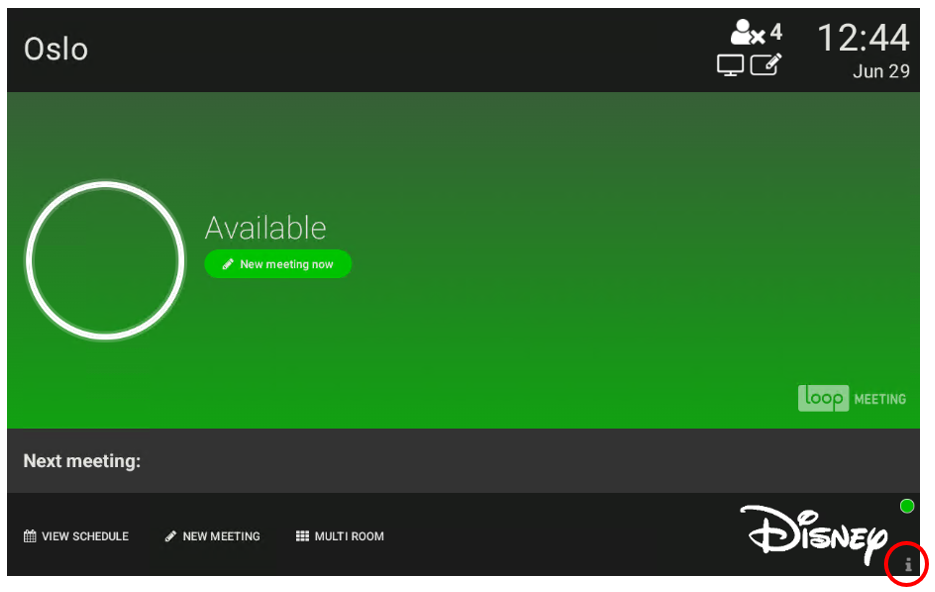
Section titled “3.2. Reset the server settings”- On the panel, tap the i in the lower right corner and select Settings.
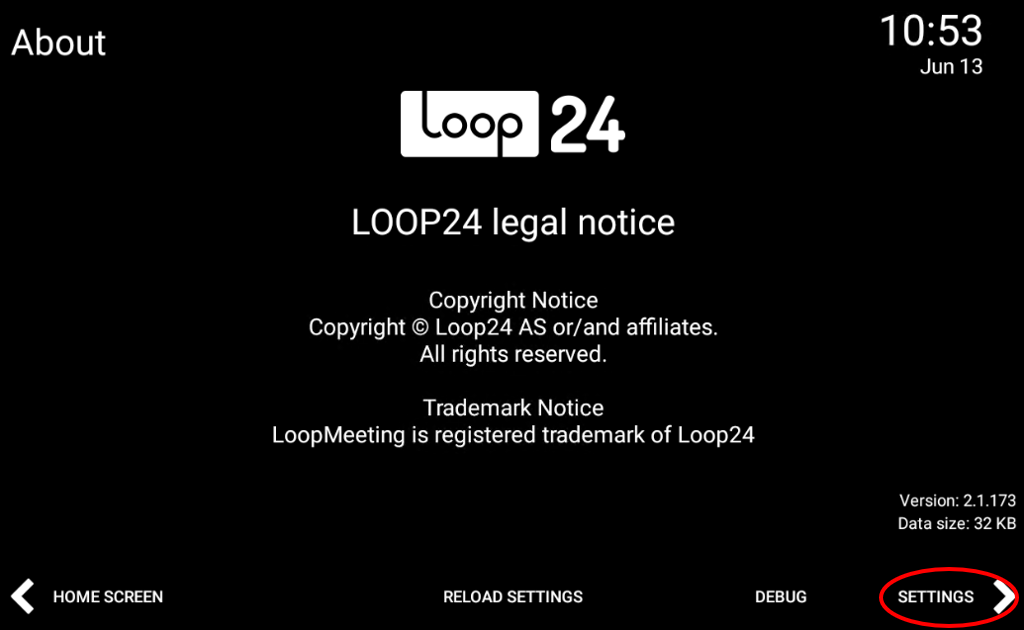
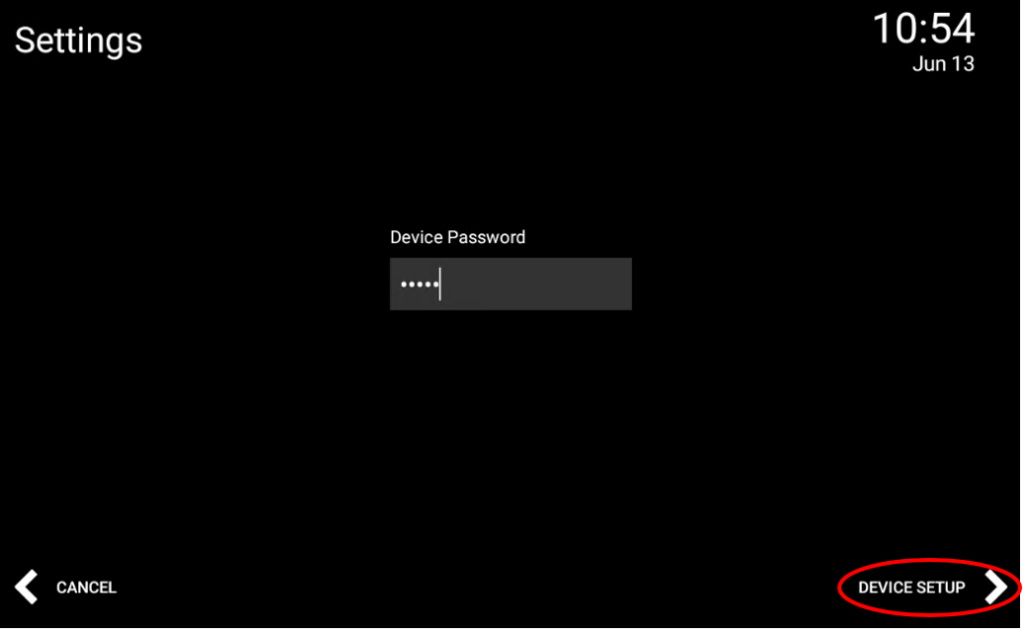
- Enter the password or PIN and select Device Setup.
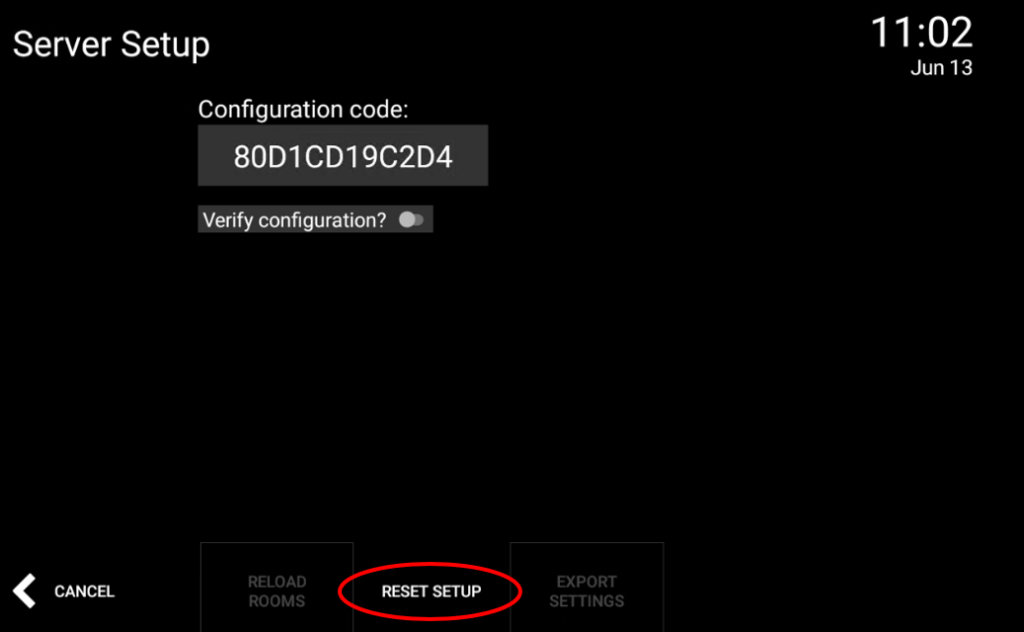
- Select Server Setup.
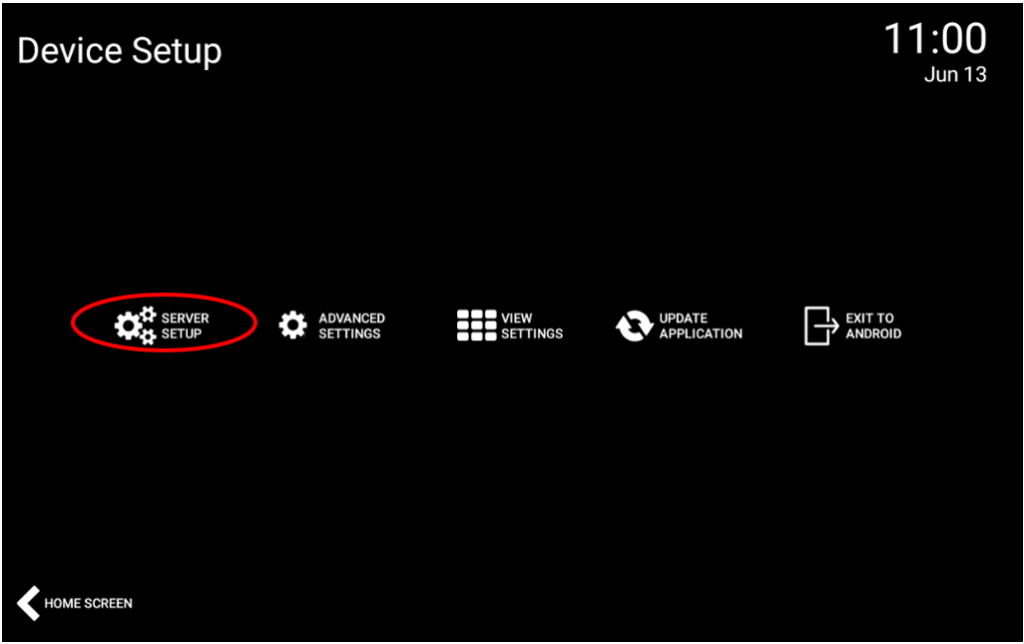
- Select Reset Setup and confirm with OK.
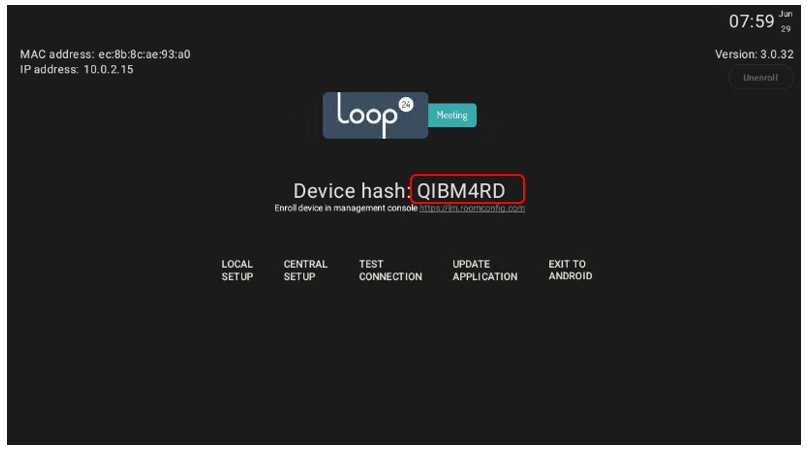
The panel should now show the hash code.
4. Enroll panels
Section titled “4. Enroll panels”Your panel is now ready to be enrolled in the RoomConfig portal. See the RoomConfig portal configuration guide.
Visits are counted with Umami on Loop24’s own server in Stockholm. No cookies, and no IP addresses are stored.
Microsoft, Windows, Microsoft Edge, Entra, Exchange, Microsoft 365, Outlook, Power BI and Teams are trademarks of the Microsoft group of companies. Android, Google Play, Google Workspace, Google Sheets and Google Slides are trademarks of Google LLC. App Store is a service mark of Apple Inc. Other product and company names belong to their owners; they say what LoopSign, LoopMeeting, LoopBooking and LoopVisit work with, and imply no affiliation or endorsement.