LoopVisit - Configure tenants
Deze inhoud is nog niet vertaald.
LoopVisit – Configure tenants
Section titled “LoopVisit – Configure tenants”Here you will find information on how to configure LoopVisit tenant settings
Post new support ticket
There must be at least one Tenant registered in the configuration portal.
A Tenant is typically a company or entity with registered employees.
To add a Tenant simply just click the blue “Add Tenant” button and give it a name.
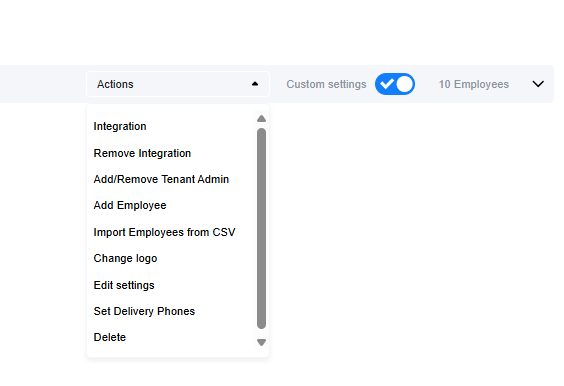
For each tenant you can under the “Action” button” configure:
-
Integration with 3’rd party employee database
– MS365 both MSgraph and SCIM
– Google Workspace
– LoopBooking -
Manually add employees
-
Edit/delete manually added employees
-
Import employees from CSV
-
Set/Change company logo
-
Edit settings (If Custom settings is enabled)
-
Set Delivery phones
If Delivery button is enabled, this is the phone numbers that will get notification if you get a package delivery. -
Delete the Tenant
-
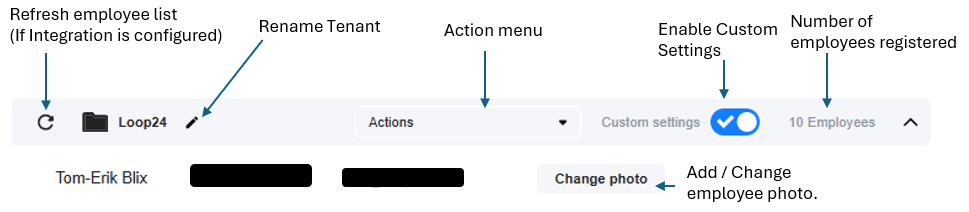
Enable custom settings
-
Manually add/change employee photo.
-
Manually refresh employee list
-
Change Tenant name
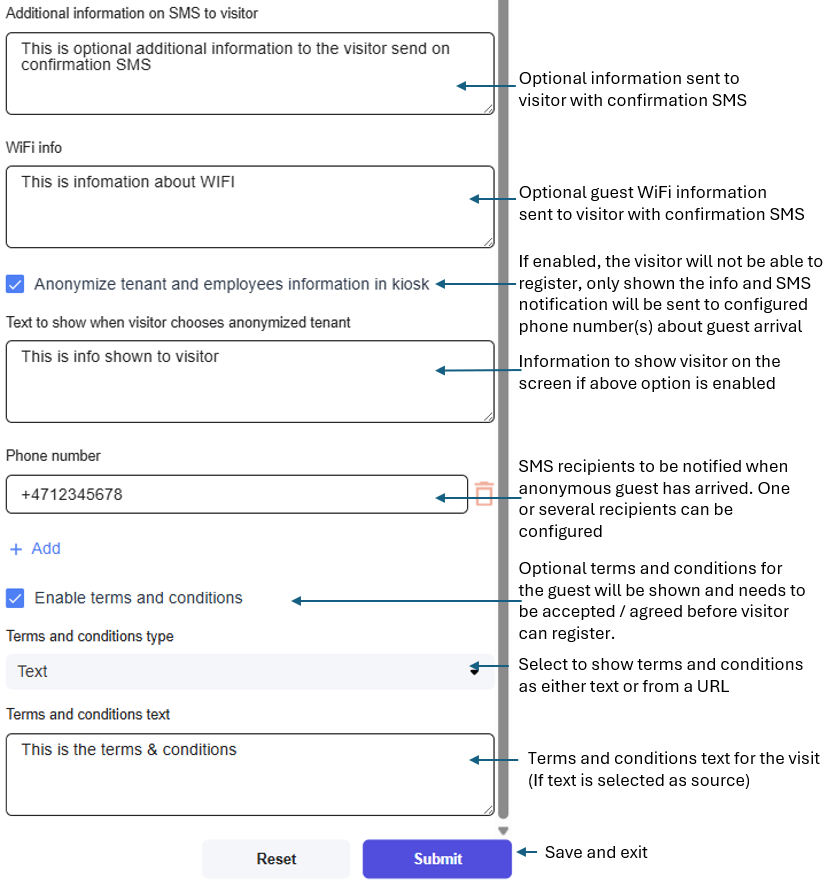
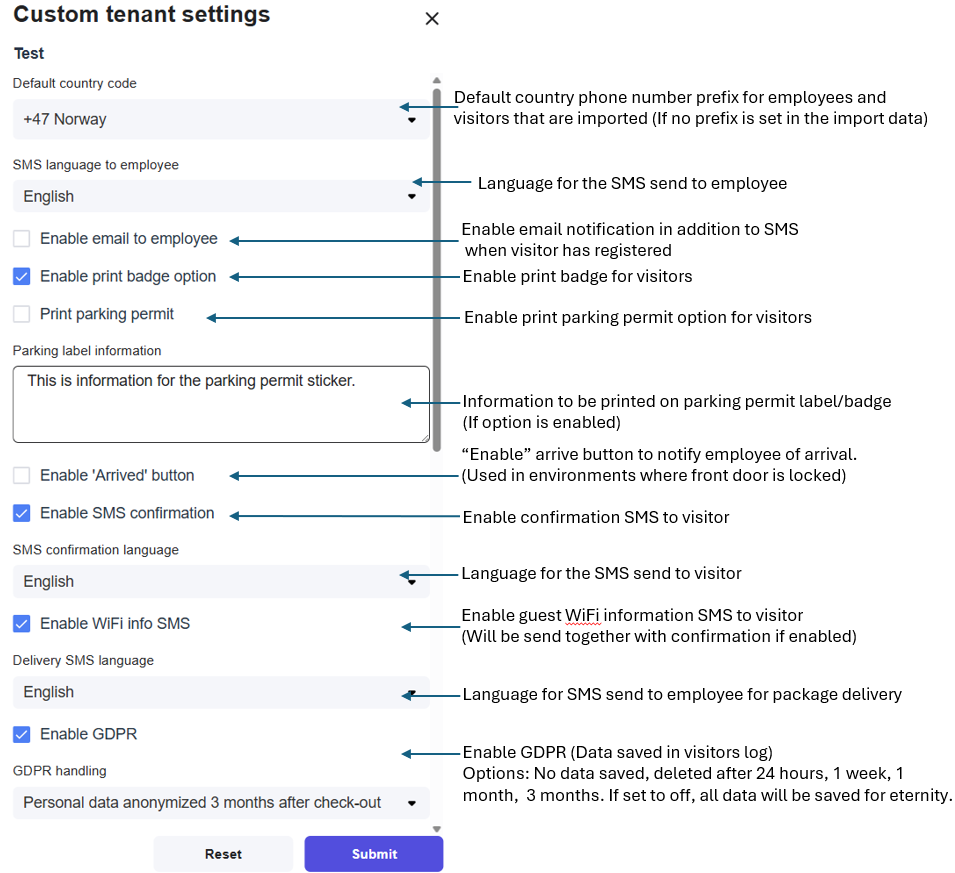
Custom Settings
Tenants can customize settings for visitors registering for visits.
Here’s an overview of the different settings.
….continued