Calendar Widget - Google Ical
Esta página aún no está disponible en tu idioma.
Ical URL Link Google
Section titled “Ical URL Link Google”This description takes you thru the steps needed to share your personal Google calendar as an Ical link to be used in LoopSign Calendar Widget.
The possibility to use a shared Ical URL is very useful if you want to show events from personal calendars.
It gives you a lot of possibilities to share events on your LoopSign screens.
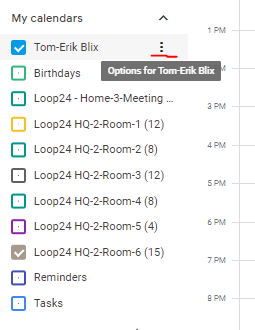
- Log into your google calendar
- Select “Options” for the calendar you want to share
- Select “Settings and Shareing”
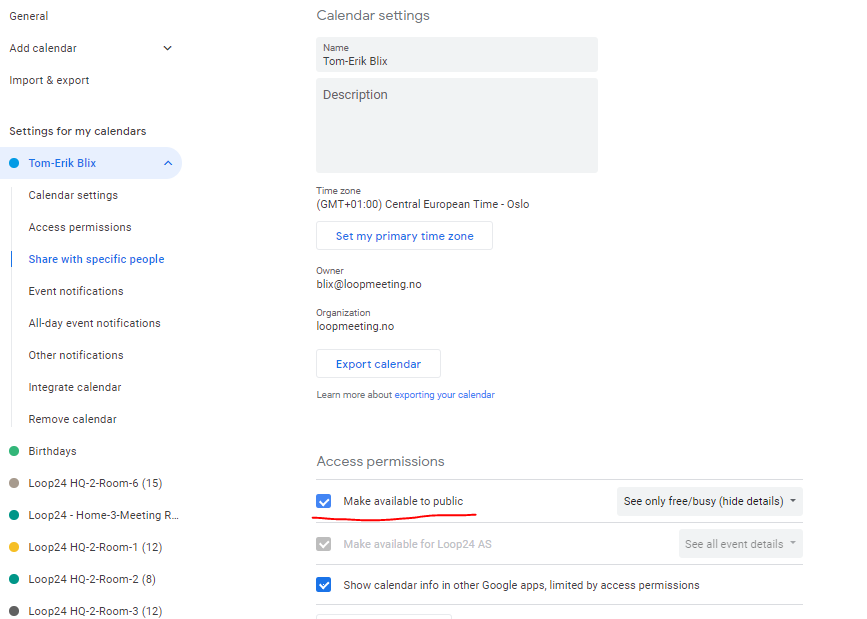
- Set your calendar “Public”
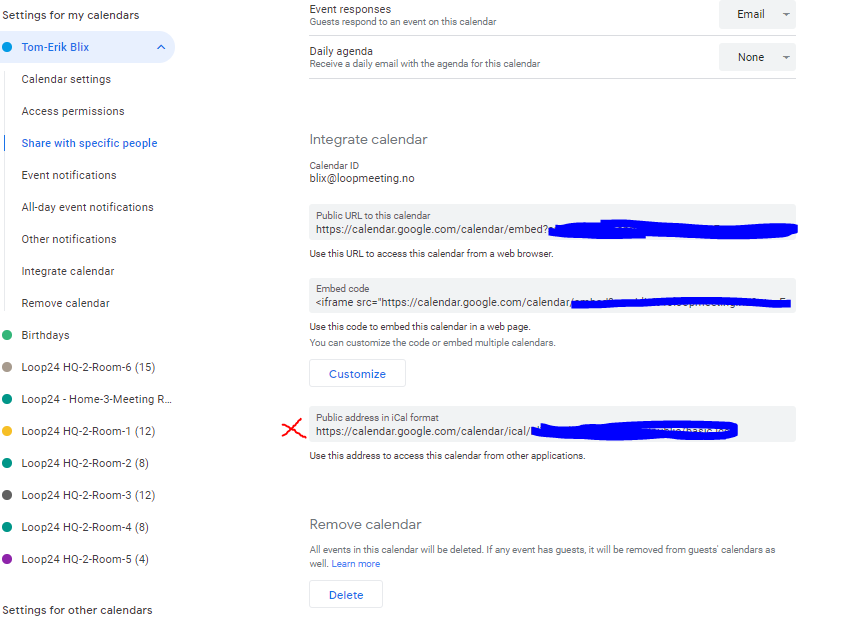
- Get the Ical link and use it it LoopSign
Note: You can do the same with resource calendars as well.